

If you’re serious about growing on YouTube, you’ve probably seen these two names everywhere — VidIQ vs TubeBuddy. Both promise to help you rank higher, find better keywords, and grow your channel faster. But after using both tools extensively across multiple channels for over two years, I can tell you they’re not interchangeable. Each has clear strengths, real weaknesses, and specific situations where one outperforms the other.
This isn’t a surface-level overview pulled from feature lists. This is an honest, experience-based comparison designed to help you make the right choice — and stop wasting money on a tool that doesn’t fit your workflow.
Quick Verdict — Who Wins?

Neither tool wins across every category. Here’s the short version before we go deep:
| Category | Winner |
|---|---|
| Keyword Research | 🏆 VidIQ |
| SEO Optimization | 🏆 TubeBuddy |
| AI Features | 🏆 VidIQ |
| Bulk Processing | 🏆 TubeBuddy |
| Competitor Analysis | 🏆 VidIQ |
| A/B Testing | 🏆 TubeBuddy |
| Ease of Use | 🏆 TubeBuddy |
| Value for Money | 🏆 VidIQ |
| Free Plan Usefulness | Tie |
Now let’s break down exactly why.
Keyword Research — VidIQ Takes the Lead
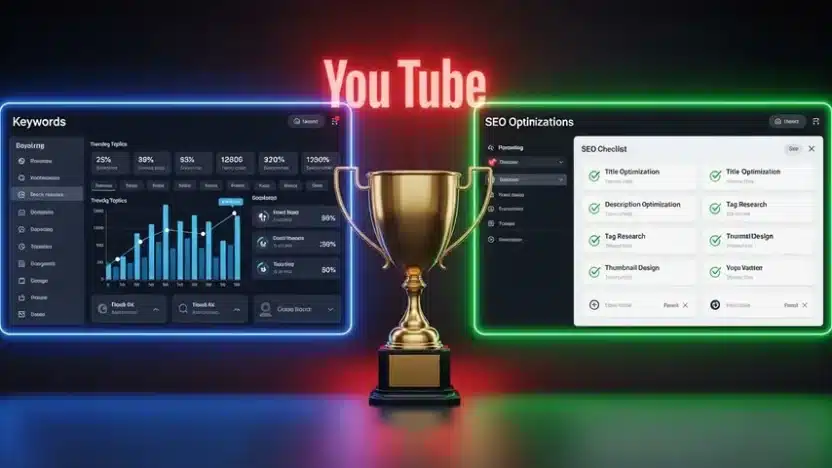
This is where VidIQ genuinely shines. The keyword research tool shows search volume, competition score, overall keyword score, and related keyword suggestions — all in a clean, actionable dashboard. You can see trending topics in your niche, discover keywords your competitors rank for, and find gaps they’re missing.
TubeBuddy offers keyword research too, but in my experience the data feels less granular. The “Keyword Explorer” in TubeBuddy gives you a weighted score and basic competition analysis, but VidIQ’s approach delivers more depth and more opportunities to discover untapped search terms.
My take: If keyword strategy is your primary focus, VidIQ wins this round convincingly.
On-Page SEO Optimization — TubeBuddy Fights Back
TubeBuddy’s SEO Studio walks you through optimizing every video step by step — title, description, tags, thumbnail — with a real-time checklist and scoring system. It feels like having an SEO coach sitting next to you during every upload.
VidIQ provides optimization suggestions too, but they’re less structured. You get a scorecard after publishing, but it doesn’t guide you during the creation process the way TubeBuddy does.
My take: For creators who want guided, step-by-step SEO optimization, TubeBuddy’s workflow is more beginner-friendly and thorough.
AI-Powered Features — VidIQ Is Ahead of the Curve
VidIQ invested heavily in AI throughout 2024 and into 2026. Their AI coach generates video ideas, suggests titles, writes descriptions, and even predicts how a video topic might perform — all based on your channel’s data and niche trends.
TubeBuddy has introduced some AI features recently, but they feel more like additions than core functionality. VidIQ’s AI tools are integrated deeply into the workflow and actually save measurable time during content planning.
My take: If AI-assisted content planning matters to you, VidIQ is currently the stronger choice among VidIQ competitors and alternatives in this space.
Competitor Analysis — VidIQ Goes Deeper
Understanding what’s working for other creators in your niche is crucial. VidIQ’s competitor tracking lets you monitor multiple channels, see their top-performing videos, track their growth trends, and analyze which keywords drive their views.
TubeBuddy offers competitor comparisons, but the analysis stays more surface-level. You get basic stats — subscriber counts, upload frequency, view averages — but VidIQ digs into the strategy behind the numbers.
Bulk Processing & A/B Testing — TubeBuddy’s Secret Weapons
Here’s where TubeBuddy pulls ahead for channels with large video libraries. Need to update end screens across 200 videos? Swap out cards? Bulk-update descriptions with a new link? TubeBuddy handles it efficiently.
The A/B testing feature is equally valuable. TubeBuddy lets you test two different thumbnails or titles against each other and automatically selects the winner based on click-through rate data. VidIQ doesn’t offer anything comparable.
My take: If you manage a large channel or post frequently, TubeBuddy’s bulk tools and A/B testing save serious time and boost performance.
How Much Does VidIQ Cost? Full Pricing Breakdown
One of the most common questions in every VidIQ review is about pricing. Here’s the current breakdown:
| Plan | Monthly Price | Annual Price | Best For |
|---|---|---|---|
| Free | $0 | $0 | Beginners exploring YouTube SEO |
| Pro | $22/mo | $7.50/mo | Growing creators needing keyword tools |
| Boost | $49/mo | $39/mo | Serious creators wanting AI + analytics |
| Max | $99/mo | $79/mo | Full-time YouTubers and agencies |
TubeBuddy’s pricing is similar in structure, with Legend ($49/mo), Star ($20/mo), and Pro ($7.99/mo) tiers. Both offer significant discounts on annual plans.
Value comparison: VidIQ’s Pro plan offers more features at its price point than TubeBuddy’s equivalent tier. However, TubeBuddy’s bulk processing tools at the Legend level are unmatched if that’s what you need.

🎁 Exclusive VidIQ Discounts — Save Big on Your Subscription
Before you decide, grab one of these exclusive deals to save on VidIQ:
💰 Year-Round 60% OFF — No Code Needed
Don’t want to wait for seasonal promos? Our exclusive partner link gives you an automatic 25% + discount — available anytime, no expiration.
Step 1 Click This Button
🔥 February Promo — 35% OFF Any Plan
Step 2 Copy this Promo code
🎟️ LIMITED-TIME FEBRUARY PROMO CODE
26FEB35
⏳ Apply this code at checkout on vidiq.com — Valid February only
Copy the code above → Go to vidiq.com → Select your plan → Paste at checkout → Enjoy 35% OFF
Looking for even bigger savings? Check out our dedicated VidIQ Promo Code 2026 guide for verified codes up to 75% off Pro and Boost plans.
VidIQ Reviews — What Real Users Say
Aggregating feedback from G2, Trustpilot, Chrome Web Store, and YouTube creator communities, here’s what consistent VidIQ reviews highlight:
✅ What Users Love
- Keyword research depth and accuracy
- AI-generated video ideas save hours weekly
- Daily stats dashboard is motivating and insightful
- Competitor tracking reveals actionable opportunities
- Chrome extension integrates seamlessly with YouTube
❌ Common Complaints
- Free plan feels too limited after recent changes
- Boost plan pricing is steep for smaller creators
- Some AI suggestions feel generic without fine-tuning
- Occasional Chrome extension lag on slower machines
Overall sentiment: VidIQ maintains a strong reputation among YouTube creators, particularly those focused on data-driven growth. Most complaints center around pricing tiers rather than feature quality.

So Which One Should You Choose?
After two years of daily use, here’s my straightforward recommendation:
Choose VidIQ If You…
- Prioritize keyword research and trend discovery
- Want AI-powered content planning
- Focus heavily on competitor analysis
- Need a strong analytics dashboard
- Are a solo creator or small team
Choose TubeBuddy If You…
- Manage a large existing video library
- Want guided SEO checklists during uploads
- Need A/B testing for thumbnails and titles
- Require bulk processing capabilities
- Prefer a more structured, step-by-step workflow
And honestly? Some creators use both — VidIQ for research and planning, TubeBuddy for optimization and testing. If your budget allows, that combination covers every angle.
Final Thoughts
The VidIQ vs TubeBuddy debate doesn’t have a universal winner — it has a personal one. Your answer depends on how you create content, what stage your channel is at, and which features align with your growth strategy.
What I can tell you from genuine experience: either tool is dramatically better than flying blind on YouTube. The creators who grow consistently aren’t guessing about keywords, thumbnails, or content strategy. They’re using data. Pick the tool that fits your workflow, commit to using it consistently, and let the results speak for themselves.
Frequently Asked Questions
Is VidIQ better than TubeBuddy for beginners?
Both work well for beginners, but TubeBuddy’s guided SEO checklists make the optimization process more intuitive for newcomers. VidIQ offers more powerful keyword research, but the learning curve is slightly steeper. If you’re just starting out and want hand-holding, TubeBuddy edges ahead. If you want data depth from day one, start with VidIQ.
How much does VidIQ cost compared to TubeBuddy?
VidIQ Pro starts at $7.50/month annually, while TubeBuddy Pro begins at $7.99/month. Mid-tier plans are similarly priced. VidIQ’s Boost plan ($39/month annually) offers more AI features than TubeBuddy’s Star plan at a comparable price. Both tools offer free tiers with limited functionality suitable for testing before committing.
What are the best VidIQ competitors besides TubeBuddy?
Other notable VidIQ competitors include Morningfame (now discontinued), Keyword Tool for YouTube, and social media suites like Social Blade for analytics. However, none offer the same combination of keyword research, AI tools, and competitor tracking that VidIQ provides. TubeBuddy remains the closest direct alternative in terms of overall functionality.
Can I use VidIQ and TubeBuddy together?
Yes, both Chrome extensions work simultaneously without conflicts. Many successful creators use VidIQ for keyword research and content ideation while relying on TubeBuddy for A/B thumbnail testing and bulk video updates. Using both gives you comprehensive coverage, though it does mean paying for two subscriptions.
Is VidIQ worth paying for or is the free plan enough?
The free plan is useful for basic keyword scores and daily stats, but it’s quite limited. If you’re producing content consistently and want meaningful growth insights, the Pro plan is worth the investment — especially with available discount codes that bring the cost down significantly. The AI features alone in the Boost plan justify the upgrade for full-time creators.


