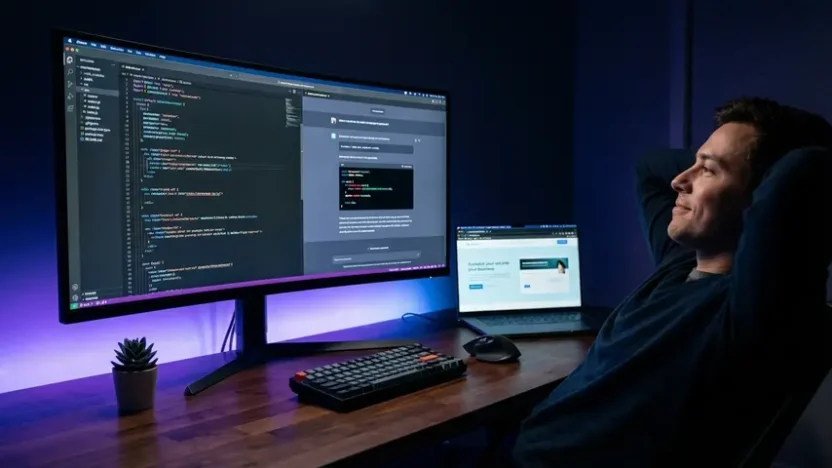
Something shifted in software development this year. Developers stopped writing every line of code manually and started describing what they wanted in plain English. The AI handled the rest. This approach has a name now — and it’s everywhere.
Welcome to the world of vibe coding tools.
If you’ve seen the term floating around Twitter, YouTube, or dev forums and wondered what the hype is about, you’re in the right place. This guide breaks down what vibe coding actually means, reviews the best tools available right now — including free options — and helps you figure out which one fits your workflow.
What Is Vibe Coding? The Meaning Behind the Trend
Before diving into tools, let’s clarify the vibe coding meaning that’s driving this movement.
The term was coined by Andrej Karpathy, former Tesla AI director, in early 2025. His original description was refreshingly simple: you describe what you want to build in natural language, the AI writes the code, and you mostly just accept the results. You “give in to the vibes” and let the AI handle implementation details.
Traditional coding requires you to think in syntax, data structures, and architecture. Vibe coding flips that. You think in outcomes. You describe the feature, the behavior, the look and feel — and the AI translates your intent into working code.
It’s not about being lazy. It’s about shifting cognitive effort from how to build something to what to build. The developers adopting vibe codes as their primary workflow report shipping projects in hours that previously took weeks.
But here’s the important nuance: vibe coding doesn’t eliminate the need to understand code. It changes your relationship with it. You become a director rather than a typist. You still need to review outputs, catch errors, and guide the AI when it misunderstands your intent.
This is actually why tools that detect AI-generated code have become increasingly relevant. As more projects ship vibe-coded outputs, teams need ways to audit, verify, and maintain quality standards across their codebases.
Best Vibe Coding Tools in 2025: Compared
The ecosystem has exploded. A year ago, you had maybe two serious options. Today, there are dozens of vibe coding tools competing for your workflow. Here are the ones worth your attention, tested across real projects.
1. Cursor
Cursor is the tool that most developers think of first when they hear “vibe coding.” Built as a fork of VS Code, it feels immediately familiar but adds AI capabilities that fundamentally change how you work.
What makes Cursor stand out is context awareness. It understands your entire codebase — not just the file you’re editing. Ask it to “add user authentication to this app” and it knows which files to modify, which dependencies to install, and how your existing code is structured.
- Best for: Professional developers who want AI-augmented coding within a familiar IDE
- Pricing: Free tier available, Pro at $20/month
- Strengths: Deep codebase context, multi-file editing, inline chat, VS Code ecosystem compatibility
- Limitations: Steeper learning curve for non-developers, requires local development setup
2. Bolt.new
Bolt.new takes a different approach entirely. It runs in your browser. You describe what you want — “build me a project management dashboard with drag-and-drop task boards” — and it generates a full working application in seconds. No local setup. No terminal commands. No configuration files.
For non-technical founders and designers who want functional prototypes fast, Bolt.new is genuinely magical. The gap between idea and working app has never been shorter.
- Best for: Non-technical users, rapid prototyping, MVPs, and proof-of-concept projects
- Pricing: Free tier with limited generations, paid plans from $20/month
- Strengths: Zero setup, browser-based, instant deployment, beginner-friendly
- Limitations: Less control over architecture, challenging for complex backend logic
3. Lovable (formerly GPT Engineer)
Lovable focuses specifically on building web applications through conversation. You describe your app, iterate through dialogue, and it generates clean, production-ready React code. The interface feels like chatting with a senior developer who happens to type at superhuman speed.
Where Lovable shines is iteration. You can say “make the sidebar collapsible” or “add dark mode” and it modifies the existing codebase intelligently rather than regenerating everything from scratch.
- Best for: Founders and product managers building web apps without a development team
- Pricing: Free tier available, paid plans from $20/month
- Strengths: Conversational iteration, clean code output, GitHub integration, Supabase backend support
- Limitations: Web-app focused — not ideal for mobile apps or system-level programming
4. Replit Agent
Replit has been a browser-based IDE for years. Their AI Agent transforms it into a full vibe coding environment. Describe your project, and the Agent sets up the environment, installs dependencies, writes code, and deploys — all within the browser.
The killer feature is deployment. Most vibe coding tools help you build. Replit helps you build and ship. Your app goes live with a URL in minutes.
- Best for: Solo developers and students who want an all-in-one build-and-deploy workflow
- Pricing: Free tier available, Replit Core at $25/month
- Strengths: Integrated deployment, multiplayer collaboration, database included, mobile-friendly IDE
- Limitations: Performance can lag on complex projects, vendor lock-in concerns
5. GitHub Copilot
Copilot is the most established name in AI-assisted coding. Integrated directly into VS Code, JetBrains, and Neovim, it provides real-time code suggestions, chat-based code generation, and increasingly sophisticated multi-file awareness.
While Copilot started as an autocomplete tool, the addition of Copilot Chat and Workspace features has pushed it firmly into vibe coding territory. You can now describe features in natural language and get working implementations.
- Best for: Professional developers already embedded in the GitHub ecosystem
- Pricing: Free for open-source contributors and students, Individual at $10/month
- Strengths: Massive training data, tight GitHub integration, wide IDE support, reliable code quality
- Limitations: Less autonomous than Cursor or Bolt — still primarily suggestion-based
6. Windsurf (by Codeium)
Windsurf positions itself as the “agentic IDE” — meaning the AI doesn’t just suggest code, it actively takes actions on your behalf. It can browse documentation, run terminal commands, create files, and debug errors autonomously.
The Cascade feature deserves attention. It creates multi-step plans for complex tasks and executes them sequentially, checking results at each stage. It feels like pair programming with an AI that actually follows through.
- Best for: Developers who want maximum AI autonomy within a professional IDE
- Pricing: Free tier available, Pro at $15/month
- Strengths: Agentic workflows, competitive pricing, strong free tier, Cascade multi-step execution
- Limitations: Newer ecosystem, smaller community than Cursor or Copilot
Side-by-Side Comparison
| Tool | Best For | Free Tier | Paid From | Browser-Based |
|---|---|---|---|---|
| Cursor | Pro developers | ✅ | $20/mo | ❌ |
| Bolt.new | Non-technical users | ✅ | $20/mo | ✅ |
| Lovable | Founders & PMs | ✅ | $20/mo | ✅ |
| Replit Agent | Solo devs & students | ✅ | $25/mo | ✅ |
| GitHub Copilot | GitHub ecosystem users | ✅ | $10/mo | ❌ |
| Windsurf | Autonomy-focused devs | ✅ | $15/mo | ❌ |
Good news for budget-conscious builders: every tool on this list offers a vibe coding tools free tier. You can legitimately start building AI-assisted projects today without spending a dollar.
Best Free Vibe Coding Tools for Beginners
If you’re exploring vibe codes for the first time and don’t want to commit financially, here’s the recommended starting path.
Start with Bolt.new or Lovable if you’re non-technical. Both run in your browser, require zero setup, and let you go from idea to working prototype in minutes. You’ll understand the power of vibe coding immediately.
Start with Cursor or Windsurf if you have development experience. The free tiers are generous enough for personal projects and learning. You’ll appreciate the deeper control and codebase awareness these tools provide.
Start with GitHub Copilot if you’re a student or open-source contributor. It’s completely free for both groups, and the integration with existing development workflows makes adoption frictionless.
The beauty of vibe coding tools free tiers is that they’re not crippled trial versions. They’re genuinely usable for real projects. The paid tiers add speed, capacity, and advanced features — but you can build meaningful things without paying.
When Vibe Coding Works Best
Vibe coding isn’t the right approach for everything. Here’s where it genuinely shines — and where you should be cautious.

Ideal Use Cases
- MVPs and prototypes — Test ideas in hours instead of weeks
- Internal tools — Admin dashboards, data processors, automation scripts
- Landing pages and marketing sites — Pixel-perfect pages without frontend expertise
- Learning projects — Understand codebases by describing what you want and studying what the AI produces
- Content creator tools — Custom utilities like YouTube backlink generators and SEO automation scripts
Proceed with Caution
- Security-critical applications — Financial systems, healthcare, authentication flows need human review
- Large-scale production systems — AI-generated architecture decisions may not hold up under heavy load
- Highly regulated industries — Compliance requirements demand auditable, intentional code decisions
The pattern is clear: vibe coding excels at getting from zero to something functional. It requires more human oversight as complexity, scale, and risk increase.
The Future of Vibe Codes
This isn’t a passing trend. The trajectory is obvious when you look at the investment flowing into these tools, the pace of improvement, and the adoption rates.
Within the next 12 to 18 months, expect these developments:
Multi-modal inputs. Sketch a UI on paper, photograph it, and have the AI generate the working frontend. Some tools already support this at a basic level. It will become standard.
Full-stack autonomy. Current tools handle frontend well but often struggle with complex backend architecture. That gap is closing rapidly. Expect tools that scaffold entire production-ready applications including databases, APIs, authentication, and deployment.
Team collaboration features. Today’s vibe coding tools are mostly solo experiences. Future versions will support teams working on shared projects with AI mediating architectural decisions and code consistency.
Quality assurance integration. Automated testing, security scanning, and code quality analysis built directly into the vibe coding workflow — catching issues before they reach production.
The developers who learn to work effectively with these tools now will have a significant advantage. The ones who dismiss vibe coding as a toy will find themselves competing against solo builders shipping at the speed of entire teams.
Frequently Asked Questions
What is the meaning of vibe coding?
Vibe coding is a software development approach where you describe what you want to build in natural language and let AI tools generate the code. Coined by Andrej Karpathy in 2026, the term captures the idea of “giving in to the vibes” — focusing on outcomes and intent rather than manually writing every line of syntax. You guide the AI through conversation, accept or modify its outputs, and iterate until the result matches your vision.
What are the best free vibe coding tools?
The best free vibe coding tools in 2026 include Cursor (free tier with limited AI requests), Bolt.new (free tier with limited generations), Windsurf (generous free tier at $15/mo for Pro), GitHub Copilot (free for students and open-source contributors), and Replit Agent (free tier with basic features). All of these provide enough free capacity to build real projects without a credit card.
Do I need to know how to code to use vibe coding tools?
Not necessarily, but it helps significantly. Browser-based tools like Bolt.new and Lovable are designed for non-technical users and can generate working applications from plain English descriptions. However, understanding basic programming concepts helps you debug issues, guide the AI more effectively, and evaluate whether the generated code is production-ready. For complex projects, coding knowledge remains important for quality assurance.
Is vibe coding safe for production applications?
It depends on the application. For MVPs, internal tools, marketing sites, and low-risk projects, vibe-coded applications work well in production. For security-critical systems, financial applications, or regulated industries, AI-generated code requires thorough human review, testing, and auditing before deployment. The recommended approach is to use vibe coding for rapid development and then apply traditional code review practices before going live.
Which vibe coding tool is best for beginners?
Bolt.new and Lovable are the most beginner-friendly vibe coding tools. Both run entirely in the browser with no setup required. You describe your project in plain English, and the AI generates a working application within minutes. Bolt.new excels at quick prototypes, while Lovable offers better iterative conversation for refining your app. Both offer free tiers to get started immediately.
Will vibe coding replace traditional programming?
Vibe coding won’t replace traditional programming entirely, but it will reshape the industry significantly. Routine development tasks — boilerplate code, standard CRUD applications, UI implementation — will increasingly be handled by AI. Human developers will shift toward higher-level roles: system architecture, AI guidance, quality assurance, and solving novel problems that require creative thinking. The most effective developers will combine traditional skills with vibe coding fluency.
The Bottom Line
The barrier to building software has never been lower. Vibe coding tools put functional application development within reach of anyone who can clearly describe what they want. From seasoned developers accelerating their workflow to complete beginners shipping their first project, the tools reviewed here represent a genuine shift in how software gets built.
Every tool on this list offers a free tier. The best way to understand vibe codes isn’t reading about them — it’s opening one of these tools and describing something you want to build. Start small. A personal dashboard. A landing page. A simple automation tool. Experience the workflow firsthand and you’ll immediately understand why developers can’t stop talking about it.
The question isn’t whether vibe coding will become mainstream. It already has. The question is whether you’ll adopt it now — while the advantage is still significant — or later, when everyone else has already caught up.