


Everyone talks about “the cloud” like it’s magic. Your photos are in the cloud. Your emails live in the cloud. Your company’s entire infrastructure runs in the cloud. But when someone asks how cloud computing works, most explanations either drown you in technical jargon or oversimplify it into meaninglessness.
Here’s the truth: cloud computing isn’t complicated. It’s just someone else’s computer — with a lot of very smart engineering making it reliable, scalable, and accessible from anywhere. Understanding the fundamentals changes how you think about technology, helps you make better decisions about the tools you use, and can genuinely save you money.
This guide explains cloud computing in plain language — how it actually functions, the different types, who the major providers are, and how you can start using it today without spending a cent.
Cloud Computing in Simple Words
Let’s start with the most straightforward explanation possible. Cloud computing in simple words means using someone else’s powerful computers over the internet instead of buying and maintaining your own.
Imagine you need to store 10,000 photos. You have two options:
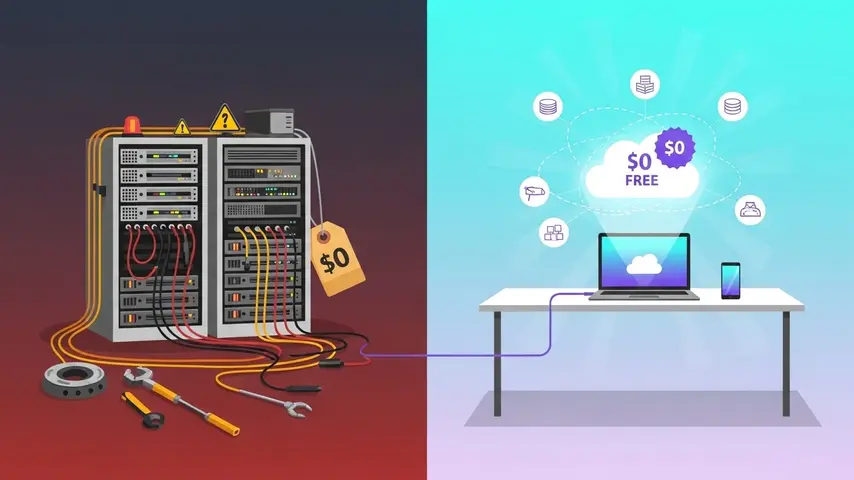
❌ The Old Way
- Buy a hard drive
- Plug it into your computer
- Hope it doesn’t fail
- Buy another one for backup
- Carry it with you if you need access elsewhere
- Replace it when it breaks
✅ The Cloud Way
- Upload to Google Photos, iCloud, or Dropbox
- Access from any device, anywhere
- Automatic backups across multiple servers
- Storage scales as you need more
- No hardware to maintain or replace
- Pay only for what you use
That’s cloud computing at its core — powerful computers in data centers around the world doing the heavy lifting so you don’t have to. Now let’s go deeper into how it actually functions behind the scenes.
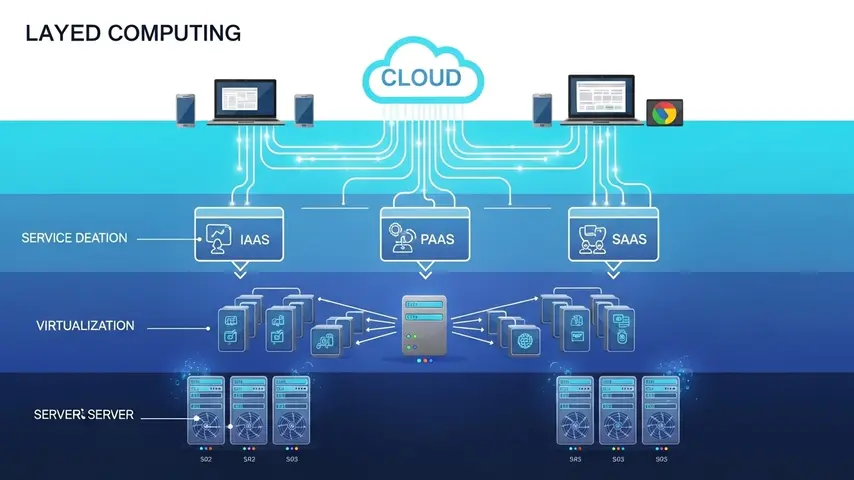
How Cloud Computing Actually Works — The Architecture
Understanding cloud computing basics requires knowing four fundamental layers that work together:
Layer 1: Physical Infrastructure (Data Centers)
Everything in the cloud runs on real, physical hardware — thousands of servers housed in massive data centers worldwide. These facilities contain:
- Servers — Powerful computers processing your requests
- Storage arrays — Banks of hard drives and SSDs holding your data
- Networking equipment — Routers and switches connecting everything at incredible speeds
- Cooling systems — Climate control keeping hardware at optimal temperatures
- Redundant power — Backup generators and UPS systems preventing downtime
Companies like Amazon, Google, and Microsoft own hundreds of these data centers across every continent. When you “upload something to the cloud,” your data physically travels to one (or multiple) of these facilities.
Layer 2: Virtualization (The Magic Multiplier)
This is where cloud computing gets clever. Instead of giving each customer a dedicated physical server, cloud providers use virtualization — software that divides one powerful physical server into multiple virtual machines. Each virtual machine acts like an independent computer with its own operating system, memory, and storage.
Think of it like an apartment building. One physical building (server) contains many individual apartments (virtual machines). Each tenant operates independently, but they share the building’s infrastructure efficiently.
This is why cloud computing is so cost-effective — you’re sharing expensive hardware with thousands of other users, but it feels like you have your own dedicated system.
Layer 3: Service Delivery (How You Access It)
Cloud services are delivered in three primary models:
| Model | What It Provides | Who Manages What | Example |
|---|---|---|---|
| IaaS (Infrastructure) | Virtual servers, storage, networking | You manage everything above the hardware | AWS EC2, DigitalOcean, Linode |
| PaaS (Platform) | Development environment + infrastructure | Provider manages servers; you manage your app | Heroku, Google App Engine, Vercel |
| SaaS (Software) | Complete applications ready to use | Provider manages everything | Gmail, Slack, Salesforce, Canva |
Most people use SaaS daily without realizing it. Every time you open Gmail, edit a Google Doc, or join a Zoom call — you’re using cloud computing.
Layer 4: Networking (The Connection)
The internet is the bridge between you and the cloud. When you access a cloud service, your request travels through fiber optic cables, internet exchange points, and content delivery networks (CDNs) to reach the nearest data center. The response travels back the same way — typically in milliseconds.
CDNs are particularly important. They cache copies of your data in servers around the world so users in Tokyo access a nearby copy rather than pulling data from a server in Virginia. This is why Netflix streams smoothly regardless of where you live.
Types of Cloud Deployment
Not all clouds are built the same. Understanding deployment types helps you choose the right approach:
☁️ Public Cloud
Shared infrastructure managed by a provider. You rent resources alongside thousands of other customers. Most affordable and scalable option.
Best for: Startups, small businesses, individual developers
🔒 Private Cloud
Dedicated infrastructure for a single organization. Higher security and control but significantly more expensive.
Best for: Healthcare, finance, government, large enterprises
🔄 Hybrid Cloud
Combination of public and private clouds connected together. Sensitive data stays private; everything else runs on public infrastructure.
Best for: Companies balancing security requirements with cost efficiency
Major Cloud Computing Providers Compared
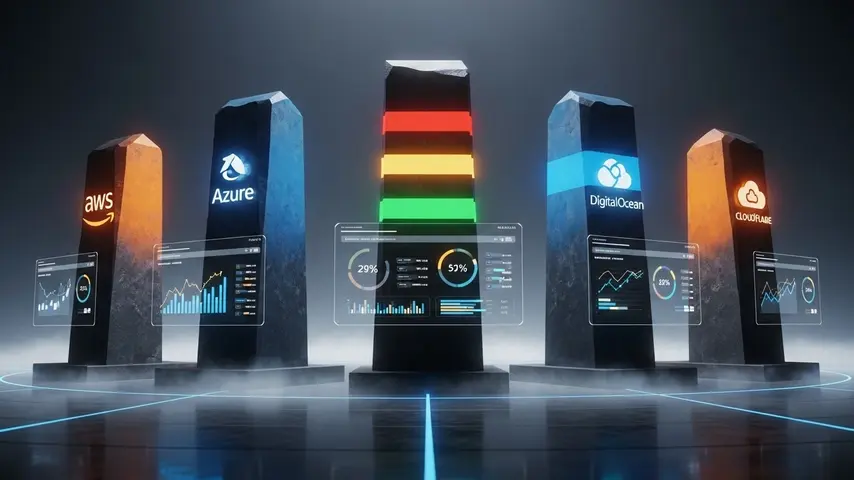
Three giants dominate the cloud computing providers landscape, with several strong alternatives serving specific niches:
| Provider | Market Share | Best Strength | Free Tier | Ideal User |
|---|---|---|---|---|
| AWS (Amazon) | 31% | Broadest service catalog (200+) | ✅ 12 months free | Enterprises, startups, developers |
| Azure (Microsoft) | 25% | Enterprise integration, hybrid cloud | ✅ 12 months free | Businesses using Microsoft ecosystem |
| GCP (Google) | 11% | AI/ML, data analytics, Kubernetes | ✅ $300 credit + always free | Data-driven companies, AI projects |
| DigitalOcean | 3% | Simplicity, developer experience | ✅ $200 credit | Small teams, indie developers |
| Cloudflare | Growing | Edge computing, CDN, security | ✅ Generous free tier | Web performance, serverless |
For most individuals and small businesses, you don’t need AWS or Azure directly. Your web hosting provider already runs on cloud infrastructure. When you purchase hosting from companies like Hostinger, your website runs on cloud servers without you managing the underlying infrastructure yourself. If you’re considering launching a website, our guide on Hostinger discounts for first-time users shows how to get cloud-powered hosting at the best possible price.
Cloud Computing Free — How to Start Without Spending Money
One of the best things about cloud computing in 2025 is how much you can do for free. Here are the most useful cloud computing free resources available right now:
Free Cloud Storage
- Google Drive — 15GB free across Gmail, Drive, and Photos
- Microsoft OneDrive — 5GB free with any Microsoft account
- Dropbox — 2GB free (expandable with referrals)
- iCloud — 5GB free for Apple users
Free Cloud Development Platforms
- AWS Free Tier — 750 hours/month of EC2, 5GB S3, and 25GB DynamoDB for 12 months
- Google Cloud — $300 credit for 90 days plus always-free tier products
- Azure — $200 credit for 30 days plus 12 months of popular free services
- Oracle Cloud — Most generous always-free tier including 2 AMD VMs and 200GB storage permanently
- Vercel & Netlify — Free hosting for frontend projects and static sites
Free Cloud Applications
- Google Workspace — Docs, Sheets, Slides, and Meet for personal use
- Canva — Cloud-based design tool with generous free tier
- Notion — Cloud-based workspace for notes, projects, and databases
- WordPress.com — Free cloud-hosted blog platform
If you’re running a WordPress site, understanding how your cloud database works can significantly improve performance. Our step-by-step guide on the best database WordPress setup covers optimization techniques that make your cloud-hosted site faster and more reliable.
Real Results: How Cloud Computing Impacts You Daily
Cloud computing isn’t abstract — it produces tangible results you experience every day:
| Daily Activity | Cloud Service Behind It | What Happens Without Cloud |
|---|---|---|
| Streaming Netflix | AWS infrastructure + CDN | You’d buy DVDs or download files for hours |
| Sending Gmail | Google Cloud servers | You’d run your own email server (and it would crash) |
| Editing Google Docs | Google Cloud storage + compute | You’d save files locally and email versions back and forth |
| Using Instagram | Meta’s cloud infrastructure | You’d share photos on physical drives or CDs |
| Playing online games | Game servers on AWS/Azure/GCP | You’d host LAN parties in your living room |
| Video calling on Zoom | AWS + Oracle Cloud | You’d fly across the country for a 30-minute meeting |
Every single one of these experiences is faster, cheaper, and more reliable because of cloud computing. The technology isn’t just powering businesses — it’s fundamentally shaping how modern life works.
Cloud Computing Benefits at a Glance
✅ Advantages
- No upfront hardware investment
- Pay only for what you use
- Scale up or down instantly
- Access from anywhere with internet
- Automatic backups and redundancy
- Enterprise-grade security for everyone
- Always running the latest software
- Global reach through distributed data centers
⚠️ Considerations
- Requires reliable internet connection
- Ongoing subscription costs can accumulate
- Data privacy depends on provider policies
- Vendor lock-in can make switching difficult
- Limited control over underlying infrastructure
- Potential latency for edge-case applications
- Compliance complexity for regulated industries
The Bottom Line
Understanding how cloud computing works isn’t just useful for tech professionals — it’s fundamental knowledge for anyone living in the digital age. Every app you use, every file you share, every video you stream depends on cloud infrastructure running silently in the background.
The beauty of cloud computing is that it democratizes access to powerful technology. A solo entrepreneur can deploy the same computing power that Fortune 500 companies use — often starting completely free. A student can access world-class development tools without buying expensive hardware. A small business can scale from 10 to 10,000 customers without rebuilding their infrastructure.
Start with the free tiers. Experiment with different providers. Build something. Break something. Learn by doing. The cloud is already powering your life — now it’s time to understand it well enough to make it work even harder for you.
Frequently Asked Questions
How does cloud computing work in simple words?
Cloud computing means using powerful computers owned by companies like Amazon, Google, or Microsoft over the internet instead of buying your own hardware. Your data is stored in large data centers, accessed through the internet, and managed by the cloud provider. You pay for what you use — like electricity — rather than buying and maintaining expensive equipment yourself.
Who are the biggest cloud computing providers?
The three largest cloud computing providers are Amazon Web Services (AWS) with approximately 31% market share, Microsoft Azure at 25%, and Google Cloud Platform (GCP) at 11%. Other notable providers include DigitalOcean for developers, Oracle Cloud for enterprise applications, and Cloudflare for edge computing and security. Each provider offers different strengths depending on your specific needs.
What are the basics of cloud computing?
Cloud computing basics involve four key concepts: physical data centers housing powerful servers, virtualization technology that divides hardware into multiple virtual machines, service delivery models (IaaS, PaaS, SaaS) that determine how much you manage versus the provider, and networking infrastructure that connects you to cloud resources over the internet. Understanding these four layers gives you a complete picture of how cloud computing functions.
Can I use cloud computing for free?
Yes. Most major cloud computing providers offer generous free tiers. AWS provides 12 months of free services, Google Cloud offers $300 in credits plus always-free products, Oracle Cloud includes permanently free virtual machines and storage, and dozens of SaaS applications like Google Docs, Notion, and Canva offer robust free plans. You can build entire projects and workflows without spending anything.
Is cloud computing safe?
Major cloud providers invest billions in security — often more than any individual company could spend protecting their own infrastructure. Data is encrypted in transit and at rest, data centers have physical security, and providers maintain compliance certifications (SOC 2, ISO 27001, HIPAA). However, security is a shared responsibility — you must still use strong passwords, enable two-factor authentication, and configure access controls properly on your end.
What’s the difference between cloud computing and web hosting?
Web hosting is a specific application of cloud computing. Cloud computing is the broad technology — servers, storage, networking, and services delivered over the internet. Web hosting uses cloud infrastructure to make websites accessible online. When you buy web hosting, you’re renting cloud resources specifically configured to serve web pages. All web hosting runs on cloud computing, but cloud computing encompasses much more than just hosting websites.


Hello! I’ve been reading your website for a while now and finally got the bravery to go ahead and give you a shout out from Porter Tx! Just wanted to mention keep up the great job!
Thank you and welcome back