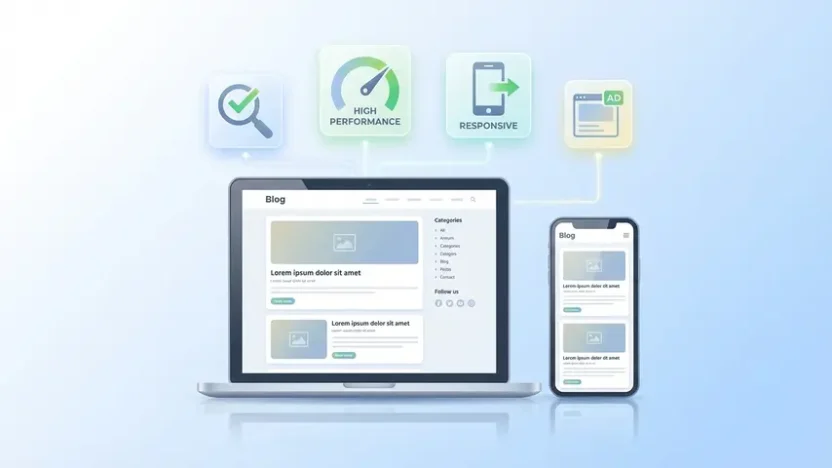
You’ve set up a Blogger site. You’re ready to publish content, build an audience, maybe even monetize with AdSense. But then you realize the default template looks like it was designed in 2012 — because it basically was.
Here’s the thing most new bloggers learn the hard way: your template isn’t just a visual skin. It’s the foundation of everything — how fast your pages load, how Google crawls and ranks your content, how ads display without killing user experience, and whether mobile visitors stay or bounce within seconds.
Choosing the right blogger template SEO friendly design isn’t a cosmetic decision. It’s a strategic one. And in this guide, I’ll break down exactly what makes a Blogspot template genuinely SEO-optimized, what features to look for, what to avoid, and which template I’d personally recommend if you want performance, flexibility, and monetization built in from day one.
What Makes a Blogger Template “SEO Friendly”?
The term gets thrown around constantly. Every template marketplace claims their product is “SEO optimized.” But what does that actually mean in practice?
A genuinely SEO-friendly blogspot template handles these technical fundamentals correctly out of the box:
| SEO Factor | What It Means | Why It Matters |
|---|---|---|
| Clean HTML structure | Proper heading hierarchy (H1→H2→H3), semantic tags | Google understands your content structure |
| Fast page speed | Minimal JavaScript, optimized CSS, lazy loading | Direct ranking factor since Core Web Vitals |
| Mobile responsiveness | Adapts perfectly to all screen sizes | Google uses mobile-first indexing |
| Schema markup ready | Structured data built into template code | Enables rich results in search |
| Proper meta tags | Dynamic title tags, meta descriptions, canonical URLs | Controls how your pages appear in SERPs |
| Validated code | Passes W3C and Google validation standards | Clean code = easier crawling = better indexing |
Most free blogspot templates fail on at least three of these. They look decent visually but under the hood, the code is bloated with unnecessary scripts, heading tags are misused, images aren’t lazy-loaded, and the mobile version is an afterthought at best.
That’s why choosing the right template is worth spending time on. It’s the difference between fighting Google’s algorithm and working with it.
Ads Ready vs. SEO Friendly — Can You Have Both?
Here’s a tension that most bloggers struggle with: you want your template optimized for search engines, but you also need it to support AdSense and other monetization platforms effectively.
The good news? These goals aren’t mutually exclusive. But a poorly designed ads ready blogger template can absolutely destroy your SEO and user experience simultaneously. Here’s how:
- Too many ad slots above the fold — pushes your actual content down, which Google penalizes and users hate
- Ads that break mobile layout — responsive ad placement is critical; fixed-width ads on mobile cause horizontal scrolling and layout shift
- Heavy ad scripts loading before content — your page speed tanks because ad JavaScript blocks rendering
- No in-feed ad integration — forcing you to manually insert ads into posts instead of having them flow naturally within content lists
A properly designed ads ready blogger template solves all of these. Ad sections are strategically placed, lazy-loaded, and sized responsively. Content always loads first. The user experience stays clean while monetization works quietly in the background.
What to Look for When Choosing a Blogspot Template
Before you download anything, run through this checklist. A template that checks all of these boxes will serve you well for years:
- Fully responsive — test it on your phone before installing, not just the desktop preview
- Fast loading — run the demo through Google PageSpeed Insights; aim for 90+ on mobile
- Clean, minimal design — flashy templates with heavy animations look impressive in demos but slow down real-world performance
- Multiple ad sections — header ads, in-article ads, sidebar ads, in-feed ads, footer ads
- Built-in SEO features — structured data, proper heading hierarchy, optimized meta tags
- Customization options — ability to change colors, fonts, widths, and backgrounds without editing code
- RTL language support — essential if your audience includes Arabic, Hebrew, Persian, or Urdu readers
- Dark mode support — increasingly expected by users and better for nighttime reading
- Table of contents — improves navigation, dwell time, and the chance of earning featured snippets
- Related posts — keeps visitors on your site longer, reducing bounce rate
- Active developer support — templates that haven’t been updated in 2+ years are a liability
Finding a template that genuinely ticks every box isn’t easy. Most free templates cover maybe 5 out of 11. Premium templates typically cover 7–8. The rare ones cover all of them.
Template I’d Actually Recommend: Casper — Responsive Blogger Template

After testing dozens of Blogger templates over the past several years — free and premium — the one I keep coming back to is Casper.
Casper is a thoughtfully designed, performance-first Blogger template built by the Pro Blogger Templates team. It strikes a balance that’s genuinely hard to find: it’s clean and minimal enough to load incredibly fast, yet flexible enough to handle serious customization and monetization without compromising the user experience.
What sets it apart from the dozens of “SEO optimized” templates I’ve tested is that the optimization isn’t surface-level. The code underneath is lean, the heading structure follows best practices, the ad placements are strategic without being intrusive, and the mobile experience isn’t just “acceptable” — it’s genuinely polished.
What Casper Delivers
- Genuinely fast loading — minimal JavaScript footprint, optimized rendering, lazy-loaded elements where they should be
- Fully responsive across all devices — validated by leading website testing tools, not just “it looks okay on my phone”
- SEO engineered by specialists — proper schema markup, semantic HTML structure, dynamic meta tags, clean canonical URLs
- 7+ flexible ad sections — including in-feed AdSense ad support, top ads, in-article placements, and footer ad zones
- Dark mode with dark logo support — one toggle, seamless switching, separate logo for dark backgrounds
- Complete RTL language support — not a bolted-on afterthought, but proper right-to-left layout for Arabic, Hebrew, and other RTL languages
- Built-in table of contents — auto-generated from your headings, improving navigation and SEO snippet potential
- Related posts without duplicates — intelligently pulls related content without repeating the same posts
- Boxed mode option — for those who prefer contained layouts over full-width designs
- Featured post section — highlight your best content prominently on the homepage
- Disqus and Facebook comment integration — plus the ability to embed YouTube videos and images in comments via links
- Mailchimp subscribe form — built-in email capture without needing third-party widgets
- Native cookie consent — GDPR-friendly consent notice without extra plugins
- Full customization — backgrounds, colors, fonts, widths all adjustable through Blogger’s layout editor. No coding required.
I want to be clear about something: you don’t need to know a single line of code to make Casper look and function exactly how you want. Everything is configurable through Blogger’s standard interface. That’s a significant advantage over templates that require XML editing for basic changes.
See It in Action
Don’t take my word for it. Check the live demos yourself:
- Default Demo — Clean, fast, professional default look
- Dark Mode Demo — Full dark theme with proper contrast and readability
- RTL Support Demo — Complete right-to-left layout for RTL language blogs
Run any of those demo URLs through PageSpeed Insights. The scores speak for themselves.
How to Set Up a Blogger Template for Maximum SEO Impact
Installing a great template is step one. Configuring it properly is step two — and it’s where most bloggers leave performance on the table.

Step 1: Configure Your Meta Settings
After installing, go to Settings → Search Preferences in your Blogger dashboard. Enable your custom meta description and write a clear, keyword-rich description for your blog’s homepage.
Step 2: Set Up Your Ad Placements Strategically
Don’t fill every available ad slot on day one. Start with two or three key placements — one in-article, one sidebar, one in-feed — and expand as your traffic grows. Overloading ads on a low-traffic blog hurts user experience without meaningful revenue.
Step 3: Enable Your Table of Contents
If your template supports automatic TOC generation (Casper does), enable it. Tables of contents improve navigation, increase time on page, and give you a better shot at featured snippet positions in Google.
Step 4: Optimize Your Images
Regardless of how fast your template is, oversized images will slow everything down. Compress every image before uploading. Use WebP format when possible. This matters for both Blogger and WordPress — if you’re running a WordPress blog alongside Blogspot, understanding how to set featured images in WordPress with proper optimization is equally important for your SEO performance.
Step 5: Customize Without Overloading
It’s tempting to add widgets, external scripts, and third-party embeds. Every one of those adds HTTP requests and slows your page. Keep your sidebar clean. Use only the widgets you genuinely need — latest posts, recent comments, subscribe form. Delete everything else.
Blogger vs. WordPress — Does the Template Matter the Same Way?
This is a question I get often. If Blogger templates and WordPress themes both need to be SEO-friendly, does the platform matter?
Short answer: yes, the platform matters — but a well-optimized template on either platform will outperform a poorly optimized one on the other. A lightning-fast Blogspot template with proper SEO structure will outrank a bloated, slow WordPress theme every time.
If you’re currently running a news or publishing blog on Blogspot and want to explore what’s available specifically for content-heavy sites, our review of the SmartMag news Blogspot template covers a magazine-style option that handles high-volume publishing workflows particularly well.
The platform is the vehicle. The template is the engine. Make sure your engine is built for performance.
Frequently Asked Questions
What is a blogger template SEO friendly?
An SEO-friendly Blogger template is one that follows search engine best practices at the code level — proper HTML heading structure, fast loading speed, mobile responsiveness, clean validated code, dynamic meta tags, structured data markup, and optimized rendering. These technical foundations help search engines crawl, understand, and rank your content more effectively.
Are free Blogspot templates good enough for SEO?
Some free templates handle the basics adequately, but most cut corners on code quality, page speed, ad placement structure, and mobile optimization. If you’re serious about ranking on Google and monetizing your blog, investing in a well-built premium template typically delivers significantly better results in both search performance and ad revenue.
What does “ads ready” mean in a Blogger template?
An ads ready blogger template has pre-built, strategically placed advertising sections designed to work seamlessly with AdSense and other monetization platforms. These sections are responsive, properly sized for different devices, and positioned to maximize visibility without hurting user experience or page speed. Quality ads-ready templates include 5–7+ flexible ad zones.
How do I know if my Blogger template is slowing down my site?
Run your blog URL through Google PageSpeed Insights or GTmetrix. If your mobile score is below 80, your template is likely contributing to slow load times. Common culprits include unminified CSS and JavaScript, render-blocking scripts, unoptimized images, and excessive third-party widget calls embedded in the template code.
Does dark mode support affect SEO?
Dark mode itself doesn’t directly impact SEO rankings. However, it significantly improves user experience — especially for mobile readers browsing at night. Better user experience leads to longer session durations and lower bounce rates, which are behavioral signals Google considers when evaluating page quality. A template with clean dark mode implementation shows thoughtful design attention.
Can I use a Blogger template for a multilingual blog?
Yes, but only if the template properly supports RTL (right-to-left) languages and has been tested across different language settings. Many templates claim multilingual support but break visually when switched to Arabic, Hebrew, or Persian. Templates like Casper that include dedicated RTL layout support handle multilingual content correctly without requiring manual code adjustments.
Your Blogger template is the invisible infrastructure that everything else sits on — your content, your rankings, your ad revenue, your reader experience. Getting it right from the start saves you from rebuilding later. Getting it wrong costs you traffic, money, and time you can’t get back.
Pick a template that’s built for performance, not just appearance. Your future traffic numbers will reflect the difference.