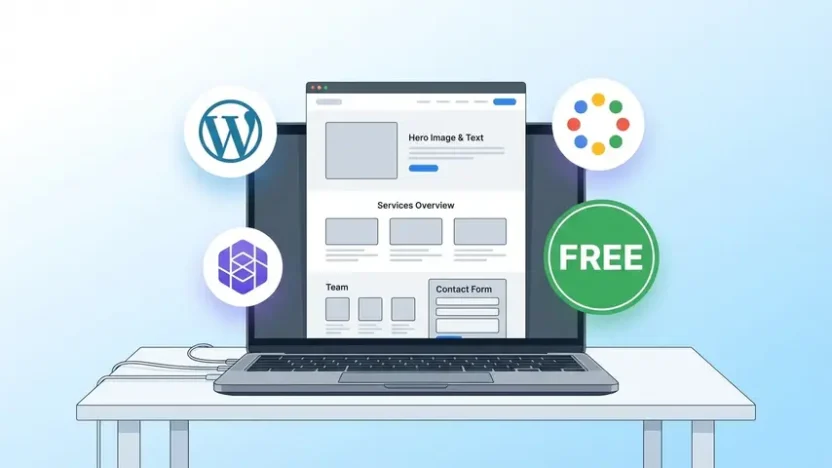
You need a website for your business. You know it. Your customers expect it. But when you start looking into it, you hit a wall of confusing pricing, technical jargon, and platforms that all claim to be the “best free website builder” while quietly pushing you toward expensive monthly plans.
So let me cut through the noise. How to create a website for business for free — is it actually possible? Yes. But there are real trade-offs you need to understand before you pick a platform and start building.
In this guide, I’ll compare the top free website builders honestly, show you what Google’s own free option can and can’t do, explain where free stops working, and help you decide whether building it yourself or getting professional help is the smarter move for your specific situation.
Can You Really Create a Business Website for Free?
Short answer: yes, but with asterisks.
Every major free website builder lets you publish a website without paying anything upfront. You get a subdomain (like yourbusiness.wordpress.com), basic templates, and enough features to put something online.
But here’s what “free” actually means in practice:
- You won’t own your domain. Your URL will include the platform’s name, which looks unprofessional to customers.
- Ads will appear on your site. Most free plans display the platform’s branding or ads — on your business page.
- Storage and features are limited. You’ll hit walls quickly with bandwidth, design customization, and functionality.
- SEO capabilities are basic. Free plans rarely give you full control over meta tags, structured data, or site speed optimization.
- No e-commerce on most free plans. If you want to sell products, you’ll need to upgrade.
Free works for testing an idea or getting something online fast. It doesn’t work long-term for a business that wants to be taken seriously, rank on Google, and convert visitors into customers.
That said, let’s look at the best options available and what each one actually delivers.
Best Free Website Builders for Business — Honest Comparison
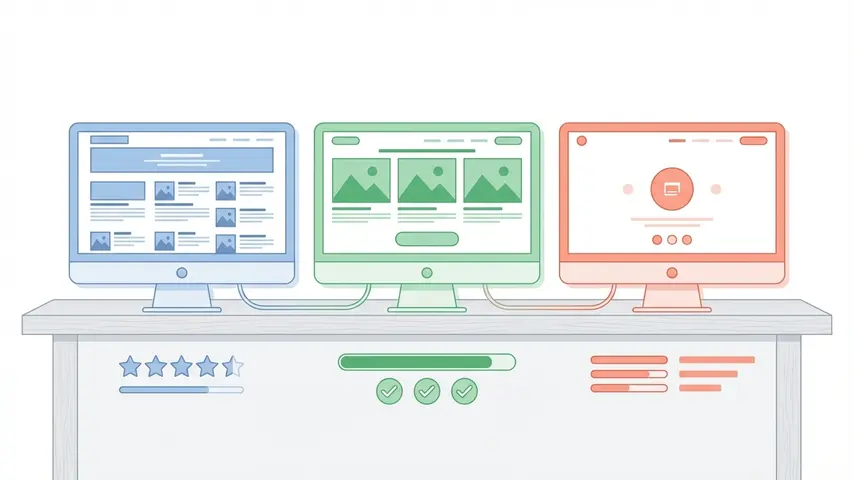
I’ve tested each of these platforms specifically from a business owner’s perspective — not a developer’s, not a hobbyist’s. Here’s how they stack up:
| Platform | Best For | Free Domain? | Ads on Free? | SEO Control |
|---|---|---|---|---|
| WordPress.com | Content-heavy businesses, blogs | No (subdomain) | Yes | Limited |
| Wix | Visual businesses, portfolios | No (subdomain) | Yes | Moderate |
| Google Sites | Simple info pages, internal sites | No | No | Very Limited |
| Weebly | Small business basics | No (subdomain) | Yes | Basic |
| Carrd | One-page landing sites | No | Branding | Minimal |
Let me break down the top contenders in more detail.
WordPress.com — The Most Flexible Free Option
WordPress powers over 40% of all websites on the internet. The free plan on WordPress.com gives you access to dozens of themes, a built-in blog, and basic customization tools.
Pros:
- Huge template library
- Strong blogging and content tools
- Scalable — you can upgrade to self-hosted WordPress later
- Active community and endless tutorials
Cons:
- WordPress.com ads on your free site
- Can’t install plugins on the free plan
- Limited design control without upgrading
- Subdomain only (yourbusiness.wordpress.com)
Verdict: Best free option if you plan to grow. Starting on WordPress means you won’t need to rebuild everything when you eventually upgrade.
Wix — The Easiest Drag-and-Drop Builder
Wix is the most beginner-friendly free website builder available. Its drag-and-drop editor is genuinely intuitive, and the free templates look professional out of the box.
Pros:
- Easiest editor for non-technical users
- 800+ templates
- Built-in AI site generator
- Decent free plan for getting started
Cons:
- Wix branding and ads on free sites
- Can’t transfer your site to another platform
- Page speed can be slower than competitors
- SEO limitations on the free tier
Verdict: Best for getting a good-looking site online fast. But the vendor lock-in is a real concern for long-term business use.
Google Sites — Create a Website Free with Google
If you search “website create free Google,” you’ll find Google Sites. It’s completely free, no ads, and dead simple to use. But there’s a reason it’s simple — it’s extremely limited.
Pros:
- 100% free with no ads or branding
- Integrates with Google Workspace (Docs, Sheets, Calendar)
- Simple enough for anyone to use
- Good for internal team pages or basic info sites
Cons:
- Very limited design customization
- Almost no SEO capabilities
- No e-commerce features
- Looks generic — hard to make it look professional
- No third-party integrations or plugins
Verdict: Google Sites works for a basic informational page or an internal company portal. For a customer-facing business website? It’s simply not enough.
Free vs. Paid — Where the Line Gets Real
Here’s the honest truth that most “how to create a free website” articles conveniently skip: the moment you need any of the following, free stops working.
- Custom domain (yourbusiness.com) — $10–15/year minimum, not included in any free plan
- Remove platform ads — Requires paid upgrade on every platform
- SSL certificate — Most free plans include basic SSL, but some don’t
- E-commerce — Selling products requires a paid plan everywhere
- Email marketing integration — Limited or unavailable on free plans
- Advanced SEO — Custom meta tags, schema markup, redirects — all locked behind paid tiers
- Analytics — Basic stats only; Google Analytics integration often requires upgrading
By the time you add a domain, remove ads, and unlock the features you actually need, most “free” website builders cost $12–$30/month. That’s $144–$360/year. And you’re still building and maintaining it yourself.
Which raises an important question worth considering.
Skip the DIY Headache
Get a Professional Business Website
Built for You — Just $100
🎁 Free Premium Backlinks Included
Why spend weeks fighting with free builders when you can have a fast, professional, SEO-optimized website ready for your business — at a price less than most “free” platforms end up costing after upgrades?
Professional Website
$299
$100
Custom Design • Own Domain
SEO Optimized • Mobile Responsive
Premium Backlinks • Fast Delivery
Get Your Website Built for $100 →
No hidden fees • Includes SEO setup • Ready in days, not weeks
The Real Cost Comparison — DIY Free vs. Professional
Let’s put real numbers side by side so you can make an informed decision:
| What You Get | DIY “Free” Builder | Professional Build ($100) |
|---|---|---|
| Custom domain | $10–15/year extra | Included |
| No platform ads/branding | Requires paid upgrade | Clean — your brand only |
| Professional design | Template-limited | Custom designed |
| SEO optimization | Basic / locked features | Full SEO setup |
| Premium backlinks | Not included | Free — included |
| Mobile responsive | Depends on template | Guaranteed |
| Time investment | 10–30+ hours of your time | Zero — done for you |
| Total first-year cost | $144–$360+ (after upgrades) | $100 (one-time) |
When you factor in the time you’d spend learning the platform, fighting with templates, troubleshooting mobile layout issues, and trying to figure out SEO — having a professional build it for $100 is genuinely cheaper than “free.”
Step-by-Step: How to Create a Website for Business for Free (If You Choose DIY)
If you still want to go the free route — and there are valid reasons to, especially for testing an idea before investing — here’s the most efficient process:

Step 1: Choose Your Platform
For most businesses, start with WordPress.com or Wix. WordPress if you want long-term scalability. Wix if you want the easiest possible setup experience.
Step 2: Pick a Clean Template
Choose a template designed for your industry. Don’t pick something flashy — pick something clean, fast, and easy to navigate. Your homepage should communicate what you do and who you serve within 3 seconds.
Step 3: Create Essential Pages
Every business website needs these five pages at minimum:
- Home — What you do, who you help, clear call to action
- About — Your story, team, credibility signals
- Services/Products — What you offer with clear descriptions
- Contact — Phone, email, form, location if applicable
- Blog (optional but recommended) — Content that helps you rank on Google
Step 4: Optimize for SEO
Even on a free plan, do these basics: write clear page titles with relevant keywords, add meta descriptions, use heading tags properly (H1, H2, H3), compress images before uploading, and make sure your site is mobile-friendly.
Step 5: Publish and Test
Preview on mobile before publishing. Test every link, every form, every button. Ask someone who’s never seen the site to find your contact information — if they can’t do it in 10 seconds, simplify your navigation.
After Launch — Don’t Forget Maintenance
Here’s where most DIY business owners drop the ball. They build the site, celebrate, and then never touch it again. Six months later, the site is slow, outdated, and possibly compromised.
Whether you build your site for free or pay a professional, ongoing website maintenance is what keeps it secure, fast, and ranking well over time. Without it, even the best-built website degrades — plugins break, security vulnerabilities emerge, and competitors overtake you while your site sits stale.
Build it right. Then maintain it. That’s the formula for a business website that actually works.
Frequently Asked Questions
Is it really possible to create a business website completely for free?
Yes, platforms like WordPress.com, Wix, and Google Sites let you publish a website without paying. However, free plans come with significant limitations — subdomain URLs, platform ads on your site, restricted SEO features, and no e-commerce capability. For a professional business presence, you’ll likely need to upgrade or consider an affordable professional solution.
Which free website builder is best for small business?
WordPress.com offers the most flexibility and long-term scalability. Wix is the easiest to use for complete beginners. Google Sites is the simplest but most limited. For most small businesses, WordPress.com is the strongest starting point because it grows with you as your needs expand.
Can I create a free website with Google?
Yes. Google Sites lets you create a basic website for free with no ads. It integrates well with Google Workspace tools. However, design customization is extremely limited, SEO capabilities are minimal, and it’s not suitable for businesses that need professional branding, e-commerce, or advanced functionality.
Do free websites rank on Google?
They can, but they’re at a disadvantage. Free website plans typically have limited SEO tools, slower page speeds, and subdomain URLs — all of which make ranking harder. A properly optimized website on a custom domain with quality backlinks will significantly outperform a free subdomain site in search results.
How much does it cost when free website builders aren’t enough?
Once you add a custom domain, remove ads, and unlock essential features, most free website builders cost $12–$30 per month — that’s $144–$360 per year. Alternatively, a professionally built business website with full SEO optimization and premium backlinks can cost as little as $100 as a one-time investment.
Should I build my business website myself or hire a professional?
If you’re testing a business idea and budget is extremely tight, a free builder works for validation. If you’re running an actual business that needs to attract customers online, a professional build saves you time, delivers better results, and often costs less than the accumulated upgrades and hours spent on DIY. Consider what your time is worth — that usually answers the question.
Creating a website for your business for free is absolutely possible. But “possible” and “effective” are two different things. Free builders serve a purpose — testing ideas, learning the basics, getting something online quickly. For a business website that actually attracts customers, ranks on Google, and represents your brand professionally, the investment in doing it right pays for itself many times over.
The best time to build your business website was yesterday. The second best time is right now.