

You’ve heard the word “Blogspot” thrown around in conversations about blogging, seen it in URLs across the internet, and maybe someone told you it’s the easiest way to start a blog for free. But what does Blogspot meaning actually refer to? Is it the same as Blogger? Is it still relevant in 2026? And most importantly — can you actually build something meaningful on it?
The answers might surprise you. Blogspot isn’t just alive — it’s quietly powering millions of active blogs worldwide, backed by Google’s infrastructure, and offering a genuinely free publishing platform that costs nothing to start and nothing to maintain.
This guide covers everything from the basics of what Blogspot is, through setting up your first blog step by step, to choosing the right template and making your site look professional. No technical background required. If you can write an email, you can build a Blogspot blog.
Blogspot Meaning — What Exactly Is It?
Let’s clear up the confusion that trips up almost every beginner:
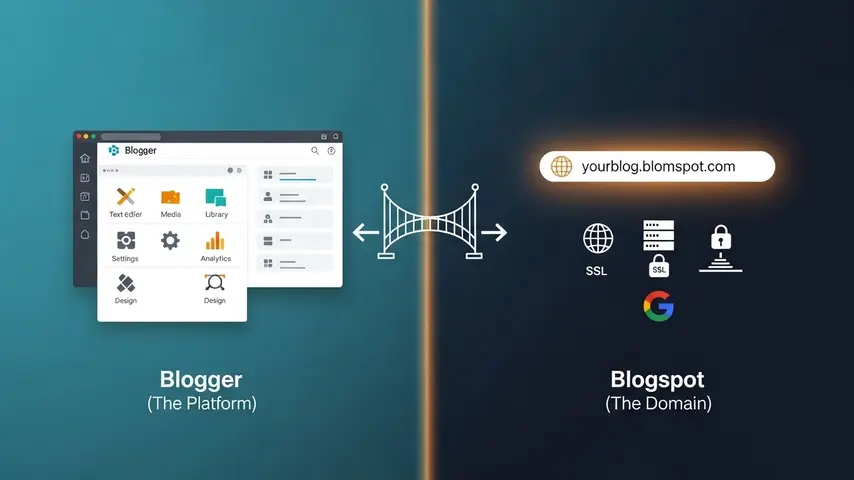
Blogger is the blogging platform — the software, the dashboard, the content management system. It’s owned and maintained by Google.
Blogspot is the free domain name that Blogger provides for every blog you create. When you start a blog on Blogger without purchasing a custom domain, your site address becomes yourblogname.blogspot.com.
Think of it this way:
🔧 Blogger
- The platform (the engine)
- Where you write and manage content
- The dashboard and tools
- Owned by Google since 2003
🌐 Blogspot
- The free domain (the address)
- yourblog.blogspot.com format
- Free hosting included
- Can be replaced with custom domain
So when someone says “I have a Blogspot blog,” they mean they’re using Google’s Blogger platform with the free blogspot.com domain. The terms are often used interchangeably in casual conversation, but technically they refer to different things.
Why Blogspot Still Matters in 2026
With WordPress, Wix, Squarespace, and dozens of other platforms available, you might wonder if Blogspot is worth considering. Here’s why millions of bloggers still choose it:
| Advantage | Why It Matters |
|---|---|
| 100% Free | No hosting costs, no subscription fees, no hidden charges — ever |
| Google Infrastructure | Your blog runs on Google’s servers — the same infrastructure behind YouTube and Gmail |
| Zero Maintenance | No server updates, no security patches, no technical management required |
| Unlimited Bandwidth | No traffic limits — your blog handles viral spikes without crashing |
| Custom Domain Support | Replace blogspot.com with your own .com domain anytime |
| AdSense Integration | Built-in Google AdSense monetization — start earning from day one |
| Simple Interface | Minimal learning curve — publish your first post within minutes |
| HTTPS by Default | Free SSL certificate automatically applied to every Blogspot blog |
The main trade-off? Fewer plugins and customization options compared to WordPress. But for many bloggers — especially beginners, hobbyists, and publishers in developing markets — the zero-cost reliability of Blogspot outweighs the flexibility advantage of paid platforms.
How to Start Blogspot — Complete Step-by-Step Guide
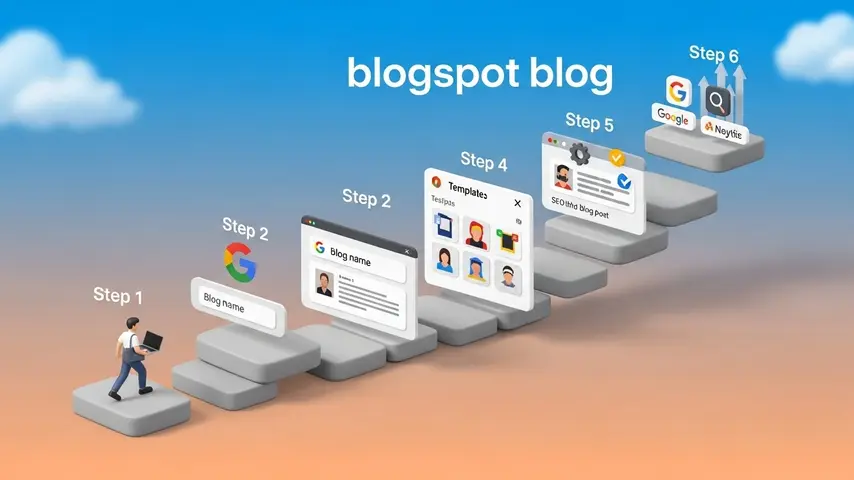
Ready to blogspot create your first blog? Here’s exactly how to start blogspot from scratch — every step explained clearly:
Step 1: Sign In With Your Google Account
- Go to blogger.com
- Click “Create Your Blog”
- Sign in with your existing Google/Gmail account (or create one if you don’t have it)
That’s it for account setup. If you have a Gmail address, you already have a Blogger account. No separate registration needed.
Step 2: Choose Your Blog Name
- Enter your display name (this appears as the blog author)
- Enter your blog title — choose something memorable and relevant to your niche
- Choose your blog address — this becomes yourblogname.blogspot.com
Naming tips:
- Keep it short and easy to remember
- Include a keyword related to your topic if possible
- Avoid numbers and hyphens — they look unprofessional
- Check if the matching .com domain is available in case you want to upgrade later
Step 3: Select a Template
Blogger offers several default templates during setup. Choose any one to get started — you can always change it later. The default templates are functional but basic. For a professional-looking blog, you’ll want to upgrade to a premium template (more on this below).
Step 4: Write Your First Post
- From your dashboard, click “New Post”
- Enter a compelling title
- Write your content in the visual editor (or switch to HTML mode for advanced formatting)
- Add labels (categories) to organize your content
- Set a custom permalink — keep it short, keyword-rich, and descriptive
- Add a search description — this becomes your meta description in Google results
- Click “Publish”
Congratulations — you’re officially a blogger.
Step 5: Configure Essential Settings
Before publishing more content, configure these critical settings from the Settings menu:
- Blog description — Write a clear 150-character description of your blog’s purpose
- HTTPS redirect — Enable HTTPS redirect (should be on by default)
- Meta tags — Enable search description and custom robots header tags
- Comments moderation — Set to moderate comments before publishing to prevent spam
- Custom domain — Connect your own .com domain if you have one (optional but recommended for serious blogs)
Step 6: Set Up Google Analytics and Search Console
- Create a Google Analytics account and add your Blogspot URL
- Copy your Analytics tracking ID into Blogger’s Settings → Basic section
- Register your blog in Google Search Console for indexing and performance monitoring
- Submit your sitemap — Blogger automatically generates one at
yourblog.blogspot.com/sitemap.xml
These two tools give you visibility into who’s visiting your blog, how they’re finding you, and which content performs best. Set them up before you start publishing regularly.
Blogspot Templates — Making Your Blog Look Professional
Blogger’s default templates work, but they look generic. Every third Blogspot blog uses the same layout. If you want readers to take your content seriously — and if you want Google to rank your pages higher — upgrading your template is the single most impactful change you can make.
Here’s what to look for in quality blogspot templates:
- Mobile responsiveness — Over 70% of blog traffic comes from phones. Your template must look perfect on mobile
- Fast loading speed — Templates should score 80+ on Google PageSpeed Insights. Anything below 60 hurts your rankings
- SEO optimization — Proper heading hierarchy, structured data markup, clean code, and meta tag support
- Core Web Vitals compliance — Google uses these metrics as ranking factors. Your template must pass them
- AdSense compatibility — Strategic ad placement zones if you plan to monetize
- Active developer support — Templates that haven’t been updated in over a year are falling behind
Recommended Premium Blogspot Templates
Based on extensive testing, these are the premium templates I recommend for different blogging needs:
| Template | Best For | Key Strength | PageSpeed Score |
|---|---|---|---|
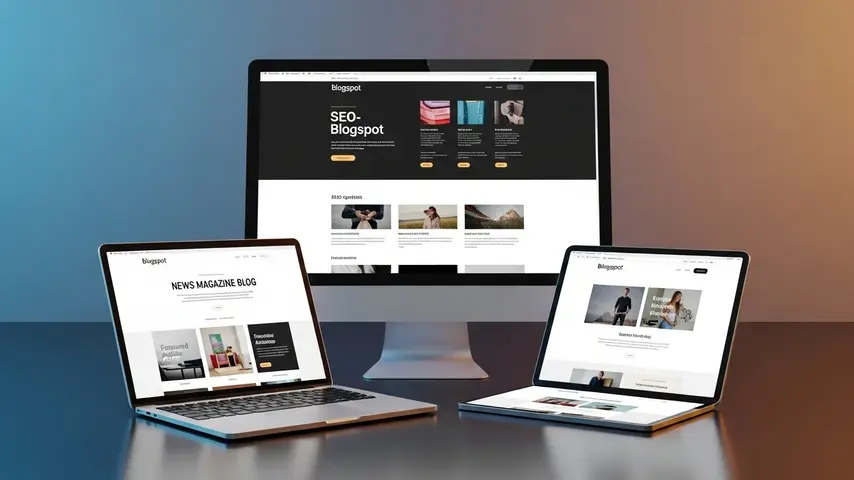
| SeoFlex | SEO-focused blogs and niche sites | Highest PageSpeed scores (90-96 mobile) | ⭐⭐⭐⭐⭐ |
| HyperMag | News and magazine sites | Mega menu navigation + ad optimization | ⭐⭐⭐⭐⭐ |
| Spotlight | Multi-niche magazines | Clean grid design with versatile layouts | ⭐⭐⭐⭐ |
If SEO performance is your top priority, our detailed SeoFlex review covers how it achieves PageSpeed scores of 90+ while maintaining full feature flexibility. For news-style blogs needing advanced navigation and content organization, the HyperMag responsive theme review provides a thorough breakdown of its mega menu system and ad placement architecture.
Blogspot vs WordPress — Quick Honest Comparison
This question comes up constantly. Here’s the straightforward comparison:
| Factor | Blogspot | WordPress.org |
|---|---|---|
| Cost | 100% Free | $3-30/month (hosting) |
| Setup Time | 5 minutes | 30-60 minutes |
| Technical Skill | None required | Basic to intermediate |
| Customization | Limited (templates + layout) | Unlimited (plugins + themes) |
| Plugins/Extensions | None | 60,000+ plugins |
| Hosting Management | Google handles everything | You manage (or your host does) |
| Monetization | Built-in AdSense | Any ad network + affiliates |
| Ownership | Google’s platform | You own everything |
| Scalability | Good for most blogs | Unlimited scalability |
| Best For | Beginners, hobbyists, zero-budget | Serious businesses, professional sites |
My recommendation: Start with Blogspot if you’re new to blogging and want to test the waters without any financial commitment. You can always migrate to WordPress later once you’ve validated your niche and built an audience. Starting is more important than choosing the “perfect” platform.
Essential Tips for Growing Your Blogspot Blog
Setting up your blog is step one. Growing it requires consistent effort in these areas:
- Publish consistently — Set a realistic schedule (even one post per week) and stick to it. Consistency matters more than frequency
- Focus on SEO from day one — Use keywords naturally in titles, headings, and content. Write custom meta descriptions for every post. Structure content with proper H2 and H3 headings
- Upgrade your template early — A professional template improves user experience, page speed, and search rankings simultaneously. Don’t wait until you have “enough content”
- Submit to Google Search Console — Ensure Google knows your blog exists and can index every post
- Build internal links — Link between your own posts to help readers discover more content and help Google understand your site structure
- Create evergreen content — Posts that remain useful for years generate traffic long after publication
- Engage with readers — Respond to comments, ask questions in your posts, and build a community around your content
Start Your Blogspot Journey Today
Now you know the blogspot meaning, understand how it works, and have a clear step-by-step path to creating your first blog. The platform is free. The tools are ready. The only thing missing is your content.
Don’t overthink the platform choice. Don’t wait until you have the “perfect” blog name. Don’t spend weeks researching templates before writing a single word. Start with Blogger’s default setup, publish your first post today, and upgrade your template once you’ve found your rhythm.
Every successful blog started with a single published post. Make today the day you publish yours.
Frequently Asked Questions
What does Blogspot mean?
Blogspot refers to the free domain name provided by Google’s Blogger platform. When you create a blog on Blogger without purchasing a custom domain, your site address uses the blogspot.com subdomain — for example, yourblog.blogspot.com. Blogspot is the hosting and domain component, while Blogger is the content management platform itself. Together, they provide a completely free blogging solution.
How do I create a Blogspot blog?
Creating a Blogspot blog takes less than five minutes. Visit blogger.com, sign in with your Google account, click “Create Your Blog,” choose a blog title and address, select a template, and start publishing. No technical skills, no payment, and no separate hosting setup required. Your blog goes live immediately after creation.
Is Blogspot free to use?
Yes — Blogspot is 100% free. There are no hosting fees, no subscription charges, no storage limits on content, and no bandwidth restrictions. Google provides free hosting, free SSL certificates, and unlimited traffic handling. The only potential cost is purchasing a custom domain name (optional, typically $10-15/year) if you want to replace the default blogspot.com address.
Are there good Blogspot templates available?
Yes. While Blogger’s default templates are basic, hundreds of premium blogspot templates offer professional design, fast loading speeds, SEO optimization, and mobile responsiveness. Templates like SeoFlex, HyperMag, and Spotlight provide features that rival premium WordPress themes — including Core Web Vitals compliance, strategic ad placement zones, and structured data markup.
Can I make money with a Blogspot blog?
Absolutely. Blogspot has built-in Google AdSense integration, making it one of the easiest platforms to start earning ad revenue. Many successful publishers run profitable blogs entirely on Blogspot. Beyond AdSense, you can monetize through affiliate marketing, sponsored posts, digital product sales, and email list building. The platform itself doesn’t limit your monetization options.
Is Blogspot still relevant in 2026?
Yes. Blogspot remains relevant for several key reasons: it’s completely free, it runs on Google’s reliable infrastructure, it handles unlimited traffic without crashing, and it integrates seamlessly with Google’s advertising and analytics ecosystems. While it offers less customization than WordPress, its zero-cost reliability makes it an excellent choice for beginners, hobbyist bloggers, and publishers in markets where hosting costs are prohibitive.


Does your site have a contact page? I’m having a tough time locating it but, I’d like to send you an email. I’ve got some suggestions for your blog you might be interested in hearing. Either way, great blog and I look forward to seeing it expand over time.
contact page “https://www.wrock.org/contact-us/“
Опытные педагоги полагают, что активное внедрение цифровых инструментов развития в программу всесторонней подготовки позволяет ученикам не просто быстро осваивать базовую арифметику, но и заметно стимулировать логическое мышление в рамках цифровой трансформации.
Делюсь: https://sro-gost.ru/