


For content creators, VidIQ is often seen as the “Holy Grail” of YouTube growth. It offers incredible data, keyword insights, and competitor analysis. But there is one major hurdle for new YouTubers: the price tag. The “Pro” and “Boost” plans can cost a significant amount of money every month.
If you have landed on this page, you are likely searching for a powerful VidIQ free alternative. You want the growth, the views, and the subscribers, but you don’t want the monthly bill.
The good news? In 2026, the digital landscape has evolved. You no longer need to rely on a single, expensive suite to manage your channel. By “stacking” several advanced free tools, you can replicate—and sometimes outperform—the features of a paid VidIQ subscription.
In this comprehensive guide, we will break down the top 7 VidIQ free alternative tools that every smart creator should be using right now to dominate the YouTube algorithm.
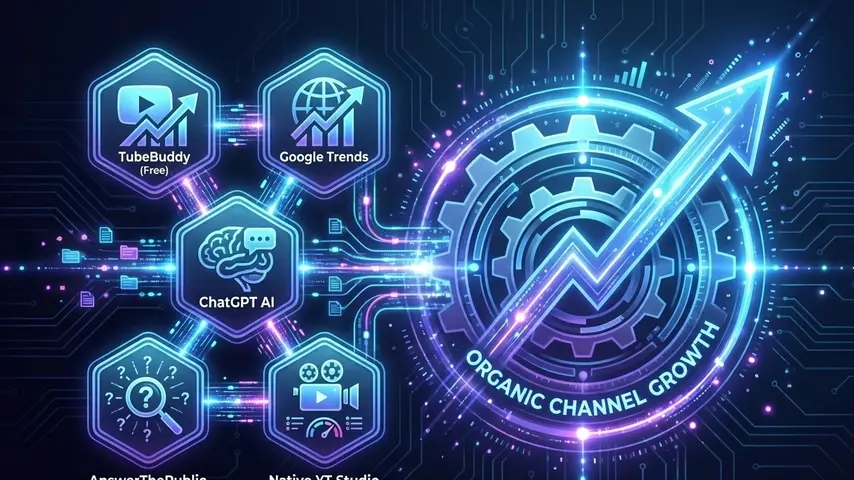
Why You Need a VidIQ Free Alternative in 2026
Don’t get us wrong—VidIQ is a fantastic tool. However, relying solely on its free version has limitations that can stifle your growth:
- Limited Keyword Data: The free version caps your daily keyword searches.
- Locked AI Features: In 2026, AI title generators are essential, but often locked behind a paywall.
- Historical Data: You miss out on long-term competitor tracking.
By switching to a VidIQ free alternative strategy, you can unlock unlimited keyword research and deep analytics without spending a dime. Let’s dive into the toolkit.
Top 7 VidIQ Free Alternatives You Must Try
1. TubeBuddy (Free Extension)
TubeBuddy has always been the direct rival to VidIQ, and for good reason. While it also has paid plans, its free browser extension offers features that VidIQ charges for.
Why it’s a great VidIQ free alternative:
- Channelytics: Compare your channel directly against a competitor’s channel on a graph.
- Tag Explorer: Even on the free plan, TubeBuddy’s tag sorter helps you find long-tail keywords that are easier to rank for.
- Milestone Tracker: Automatically generates graphics for your subscriber achievements (great for community posts).
2. YouTube Studio “Research Tab” (The Native King)
Many creators ignore the tool right under their noses. YouTube has aggressively updated its native analytics in 2026. The “Research” tab in YouTube Studio is now one of the most accurate sources of data because it comes directly from Google.
How to use it:
- Go to Analytics > Research.
- Type in a topic. YouTube will show you “Content Gaps”—topics your audience is searching for but finding poor results.
- This “Content Gap” feature is arguably more valuable than VidIQ’s competition score because it highlights guaranteed demand.
3. ChatGPT / Claude (For AI Optimization)
One of VidIQ’s main selling points is its AI Title and Description generator. But why pay for it when you can use ChatGPT (or Claude) for free?
The Strategy:
Instead of a generic prompt, use this formula to create a VidIQ free alternative AI assistant:
“Act as a YouTube SEO expert. I have a video about [Topic]. Write 5 click-worthy titles with a high CTR potential, under 60 characters. Then, write a video description including the keywords: [Keyword 1], [Keyword 2].”
The output is often indistinguishable from, or better than, paid tools.
4. Google Trends (For Trending Topics)
VidIQ tells you what has worked. Google Trends tells you what is working right now. As a VidIQ free alternative for trend-jacking, nothing beats Google Trends.
Pro Tip: Set the filter to “YouTube Search” instead of “Web Search.” This gives you granular data on what people are typing into the YouTube search bar specifically, helping you ride waves of popularity before they peak.
5. Social Blade (For Competitor Spying)
If you used VidIQ to stalk your competitors’ view counts and subscriber growth, Social Blade is the classic replacement. It provides transparent data on any channel’s health.
You can see:
- Daily subscriber gains (or losses).
- Estimated earnings.
- Future projections.
Use this to identify which of your competitors’ videos caused a spike in their growth, then model your content after those hits.
6. AnswerThePublic (For Content Ideation)
Running out of video ideas? VidIQ’s “Daily Ideas” is a nice feature, but AnswerThePublic is a visual powerhouse for brainstorming. It visualizes search questions (Who, What, Where, When, Why) related to your keyword.
This is a superior VidIQ free alternative for creating “Help” or “How-to” content. By answering specific questions real people are asking, you increase your chances of appearing in Google Search results, not just YouTube.
7. Canva (For Thumbnails)
VidIQ offers a thumbnail editor, but it is basic compared to Canva. In 2026, a high CTR (Click-Through Rate) is more important than SEO tags. If your thumbnail is bad, no amount of keyword research will save you.
Canva’s free version offers thousands of YouTube thumbnail templates that are proven to get clicks. Combine this with the “ThumbsUp” tool (a site that lets you test thumbnails) to maximize your reach.

How to “Stack” These Tools for Maximum Growth
Now that you have your toolkit, here is the workflow to replace the $49/month VidIQ plan:
- Research: Use Google Trends and YouTube Studio Research Tab to find a high-demand topic.
- Keywords: Use TubeBuddy Free or AnswerThePublic to find long-tail keywords with low competition.
- Production: Create the video.
- Optimization: Use ChatGPT to write an SEO-optimized title and description containing your chosen keywords.
- Thumbnail: Design a click-magnet image in Canva.
- Analysis: Track your success using Social Blade.
Conclusion
You do not need to break the bank to grow a successful channel. While the premium tools are convenient, the best VidIQ free alternative is actually a combination of smart, zero-cost tools and a solid strategy.
By leveraging the data from YouTube Studio, the creativity of ChatGPT, and the insights from Google Trends, you can build a professional SEO workflow that rivals any paid subscription.
Start using these tools today, save your money for better equipment, and watch your channel grow organically.
Ready to take your channel to the next level? Explore our category on YouTube Growth Tools or read our guide on Video Editing for High Retention.
Frequently Asked Questions (FAQ)
What is the best completely free alternative to VidIQ?
The best holistic alternative is a combination of TubeBuddy (Free Version) for on-page optimization and Google Trends for topic research. This “stack” covers almost all features provided by VidIQ’s paid plans without the cost.
Is TubeBuddy Free better than VidIQ Free?
For many users, yes. TubeBuddy’s free version offers the “Channelytics” feature which allows unlimited competitor comparison graphs, whereas VidIQ limits its competitor tracking on the free tier. TubeBuddy also provides a very useful “Tag Explorer” with fewer daily restrictions.
Can I monetize my YouTube channel using only free SEO tools?
Absolutely. Tools do not create content; they only help structure it. Many of the world’s biggest YouTubers started with zero budget. Consistent uploads, high-quality thumbnails (made with Canva), and smart keyword research using free tools are enough to reach monetization.
Is it safe to use AI like ChatGPT for YouTube titles and descriptions?
Yes, it is 100% safe and compliant with YouTube’s policies. YouTube does not penalize AI-generated text. In fact, using AI ensures your descriptions are keyword-rich and readable, which helps the algorithm understand your video better.
How can I see my competitor’s tags without paying for VidIQ Pro?
You can simply install the TubeBuddy Free Extension. Once installed, every time you open a competitor’s video, a sidebar will appear showing all the tags they used. Alternatively, you can right-click on the video page, select “View Page Source,” and search (Ctrl+F) for the word “keywords”.


