

The barrier to entry for content creation has never been lower. Just a few years ago, producing high-quality video required a Hollywood budget and a massive workstation. Today, the landscape has completely shifted.
- Why Use Free Video Editing Software?
- 1. DaVinci Resolve (The Industry Standard)
- 2. CapCut Desktop (Best for Viral Content)
- 3. Shotcut (Open Source & Lightweight)
- 4. HitFilm (For VFX Lovers)
- 5. Lightworks (The Hollywood Classic)
- How to Choose the Right Video Editing Software
- The Rise of AI in Video Editing
- Conclusion
Whether you are starting a YouTube channel, creating viral TikToks, or producing an indie film, the market is flooded with powerful video editing software that rivals expensive industry standards like Adobe Premiere Pro or Final Cut.
However, “free” often comes with a catch—watermarks, limited features, or export restrictions. That is why we have tested and curated this list of the best free video editing software that actually lets you create professional work without the hidden fees.
⚡ Quick Verdict: What Should You Download?
- Best for Professionals: DaVinci Resolve
- Best for Social Media (TikTok/Shorts): CapCut Desktop
- Best for Low-End PCs: Shotcut
- Best for VFX & Action: HitFilm
Why Use Free Video Editing Software?
Many beginners make the mistake of thinking they need to spend hundreds of dollars to get started. The truth is, the gap between paid and free tools is narrowing.
Modern video editing software often operates on a “freemium” model. The core editing functions—cutting, trimming, color correction, and audio mixing—are usually free. You typically only pay for advanced features like cloud collaboration, specific AI effects, or stock footage libraries. For 90% of creators, the free versions are more than enough.
1. DaVinci Resolve (The Industry Standard)
If you are looking for the absolute best free video editing software with no compromise on power, DaVinci Resolve is the undisputed king. It is used by Hollywood editors for color grading blockbusters, yet the base version is completely free.
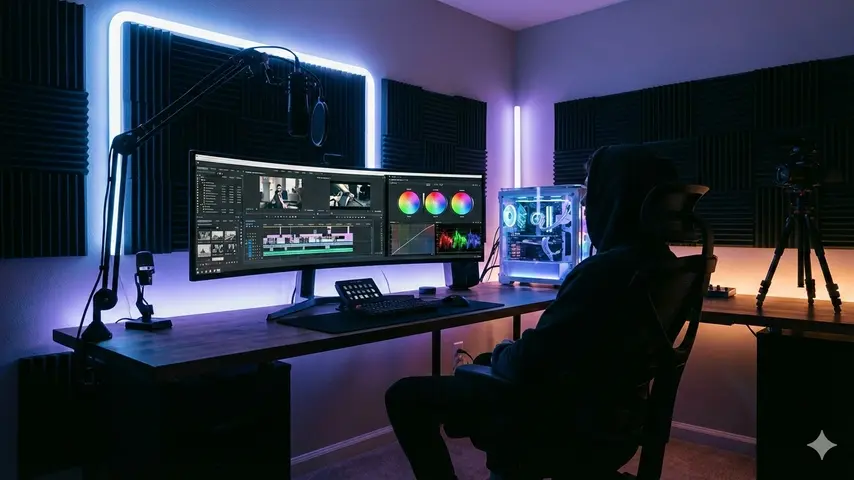
It combines editing, color correction, visual effects, motion graphics, and audio post-production all in one software tool. However, be warned: it has a steep learning curve and requires a powerful computer.
- Professional-grade color correction.
- No watermarks.
- Supports 4K editing.
- Built-in ‘Fairlight’ audio tools.
- Very steep learning curve.
- Requires a high-end GPU/RAM.
2. CapCut Desktop (Best for Viral Content)
CapCut started as a mobile app, but its desktop version has quickly become a favorite among content creators. It is arguably the best free video editing software for short-form content like TikToks, Instagram Reels, and YouTube Shorts.
CapCut shines because of its “smart” features. It includes auto-captions, trendy effects, and a massive library of copyright-free music and stickers. For creators who want speed and virality over technical perfection, this is the tool to use.
Key AI Features: Auto-background removal, text-to-speech, and AI body visual effects.
- Extremely easy to use.
- Built-in stock assets and music.
- Powerful Auto-Captions feature.
- Limited advanced color grading.
- 15-minute limit for some exports.
3. Shotcut (Open Source & Lightweight)
Shotcut is an open-source, cross-platform video editing software. It might not look as sleek as CapCut or Resolve, but it is incredibly powerful and, most importantly, lightweight.
If you are editing on an older laptop or a computer without a dedicated graphics card, Shotcut is a lifesaver. It supports a wide range of formats natively, meaning you don’t have to import files—you can edit directly on the timeline.
4. HitFilm (For VFX Lovers)
Do you dream of making action movies with lightsabers, explosions, or superhero landings? HitFilm is the best free video editing software for aspiring VFX artists.
While it functions as a standard editor, its true power lies in its compositing capabilities. The free version gives you access to hundreds of visual effects that would usually require Adobe After Effects.
5. Lightworks (The Hollywood Classic)
Lightworks has a legacy. It was used to edit films like The Wolf of Wall Street and Pulp Fiction. The free version is robust, offering high-precision trimming and a unique workflow tailored for narrative filmmaking.
The major downside? The free version limits export resolution to 720p. If you are creating content for YouTube where 1080p or 4K is standard, this might be a dealbreaker. However, for learning the craft of editing, it is unmatched.
How to Choose the Right Video Editing Software
With so many options, how do you pick? Here are three factors to consider before downloading:
1. Your Hardware Specs
This is the most critical factor. DaVinci Resolve is amazing, but if you have less than 16GB of RAM, it will likely crash your computer. For lower-end PCs, stick to Shotcut or web-based editors.
2. Your Content Goal
- Talking Head / Tutorials: You need good audio tools and screen recording. (Try: CapCut or Camtasia Trial)
- Cinematic Travel Logs: You need color grading. (Try: DaVinci Resolve)
- Gaming Videos: You need fast cuts and memes. (Try: CapCut or Premiere Rush)
3. The Learning Curve
Time is money. Do you want to spend 2 weeks learning software, or do you want to post a video today? Simple video editing software like CapCut allows for “drag-and-drop” creation, whereas professional tools require study.
The Rise of AI in Video Editing
As we explore on Wrock.org, AI is changing the game. Modern editors are now integrating Artificial Intelligence to speed up workflows.
Features like Scene Edit Detection (which automatically cuts your video based on scene changes) and AI Voice Isolation (which removes background noise) are becoming standard in free software. When choosing your tool in 2026, look for these AI capabilities to save hours of manual work.
Conclusion
You do not need a budget to be a creator. The best free video editing software available today is more powerful than the tools professional filmmakers used a decade ago.
For most users, we recommend starting with CapCut Desktop for its ease of use and modern features. If you are serious about filmmaking as a career, start learning DaVinci Resolve today.
Ready to start creating? Check out our guide on The Best AI Prompts for Video Scripting to pair with your new software!



I genuinely enjoy examining on this web site, it contains wonderful blog posts. “And all the winds go sighing, For sweet things dying.” by Christina Georgina Rossetti.