If you’ve been searching for the best AI image generator lately, you already know the problem — there are dozens of options, each claiming to be the most realistic, the most creative, or the easiest to use.
So which one actually delivers?
That’s exactly what this guide is here to answer. We’ve compared the top AI image generators available right now — including the best free AI image generator options — so you can make a smart decision based on your actual needs, not just marketing hype.
Whether you’re a content creator, a marketer, a designer, or just someone who wants to make cool visuals without hiring a photographer, there’s a tool on this list for you. Let’s get into it. 👇
What Is an AI Image Generator?
An AI image generator is a tool that uses artificial intelligence — specifically diffusion models or generative adversarial networks (GANs) — to create images from text prompts. You type a description, and the tool produces a visual that matches it.
The technology has moved incredibly fast. What used to produce blurry, distorted results just two years ago now generates photorealistic portraits, detailed landscapes, product mockups, and abstract art — often in seconds.
Here’s what makes the current generation of tools genuinely useful:
- 🎨 Text-to-image — describe anything, get a visual instantly
- 🖼️ Style control — photorealistic, illustrated, cinematic, 3D, and more
- ✏️ Image editing — inpainting, outpainting, background removal
- ⚡ Speed — most tools generate results in under 30 seconds
- 💰 Cost — many offer generous free tiers
According to Grand View Research, the AI image generation market was valued at USD 299.2 million in 2023 and is projected to grow at a CAGR of 17.4% through 2030. That kind of growth signals one thing clearly: this technology is becoming a standard part of creative workflows, not just a novelty.
Best AI Image Generators in 2026 — Full Comparison
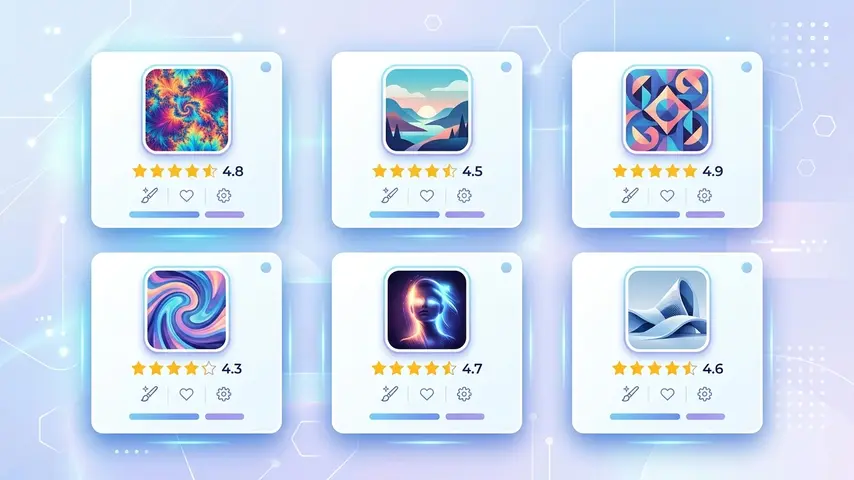
Here’s our curated comparison of the top tools available right now, tested across quality, speed, ease of use, and value for money:
| Tool | Best For | Image Quality | Free Plan | Starting Price |
|---|---|---|---|---|
| Midjourney | Artistic & creative work | ⭐⭐⭐⭐⭐ | ❌ No | $10/mo |
| DALL·E 3 (ChatGPT) | Accurate prompt following | ⭐⭐⭐⭐⭐ | ✅ Limited | $20/mo (ChatGPT Plus) |
| Adobe Firefly | Commercial-safe images | ⭐⭐⭐⭐ | ✅ 25 credits/mo | $4.99/mo |
| Stable Diffusion | Advanced users & custom models | ⭐⭐⭐⭐ | ✅ Open source | Free (self-hosted) |
| Leonardo AI | Game art & concept design | ⭐⭐⭐⭐ | ✅ 150 tokens/day | $12/mo |
| Canva AI (Dream Lab) | Non-designers & quick content | ⭐⭐⭐ | ✅ Yes | Free / $15/mo Pro |
| Bing Image Creator | Free everyday use | ⭐⭐⭐⭐ | ✅ Fully free | Free |
🏆 Our Top Pick Overall: Midjourney remains the gold standard for image quality and artistic range in 2026. If budget isn’t a concern and you need the best output consistently, nothing else comes close. For free users, Bing Image Creator (powered by DALL·E) delivers surprisingly strong results at zero cost.
Midjourney — Best for Creative Professionals
Midjourney continues to set the bar for artistic quality. Its v6 model produces stunningly detailed images with excellent handling of lighting, texture, and composition. The Discord-based interface is less beginner-friendly, but the output quality justifies the learning curve for serious creatives.
Ideal for: Illustrators, brand designers, marketing teams, editorial content
Limitation: No free plan — minimum $10/month commitment
DALL·E 3 — Best for Prompt Accuracy
Integrated directly into ChatGPT, DALL·E 3 excels at following complex, detailed prompts with high accuracy. If you need an image that precisely matches a specific description — including text within images — DALL·E 3 is currently the most reliable option for that use case.
Ideal for: Bloggers, content marketers, educators, social media managers
Limitation: Requires ChatGPT Plus ($20/month) for full access
Adobe Firefly — Best for Commercial Use
Adobe Firefly is trained exclusively on licensed content, making it the safest choice for commercial projects where copyright matters. It integrates natively with Photoshop and Illustrator, making it a natural fit for existing Adobe users.
Ideal for: Agencies, e-commerce businesses, brand marketers
Limitation: Less stylistically adventurous than Midjourney
Best Free AI Image Generator Options
Not ready to commit to a paid plan? Good news — there are genuinely capable free AI image generator tools available right now that don’t require a credit card.
🆓 Top Free Options Ranked
1. Bing Image Creator (Microsoft)
Powered by DALL·E technology, completely free with a Microsoft account. Generates 4 images per prompt with solid quality. Best free option for most casual users — no watermarks, no subscription required.
2. Adobe Firefly (Free Tier)
25 generative credits per month on the free plan. Ideal if you need commercially safe images occasionally. Credits reset monthly.
3. Leonardo AI (Free Tier)
150 tokens per day on the free plan — enough for regular use. Strong quality for concept art and stylized content. No credit card needed to sign up.
4. Stable Diffusion (Open Source)
Completely free if you run it locally. Requires a decent GPU and some technical setup, but gives you unlimited generations with full control. Best for power users comfortable with technical tools.
5. Canva Dream Lab (Free Tier)
Built into Canva’s free plan with limited monthly generations. Perfect if you’re already using Canva for design — no context switching needed.
⚠️ Commercial Use Warning: Always check the terms of service for any ai image generator free tool before using outputs commercially. Some free tiers restrict commercial use or add watermarks. Adobe Firefly and Bing Image Creator are currently the safest free options for commercial projects.
How to Choose the Right AI Image Generator for Your Needs
With so many options, the decision comes down to four key questions:
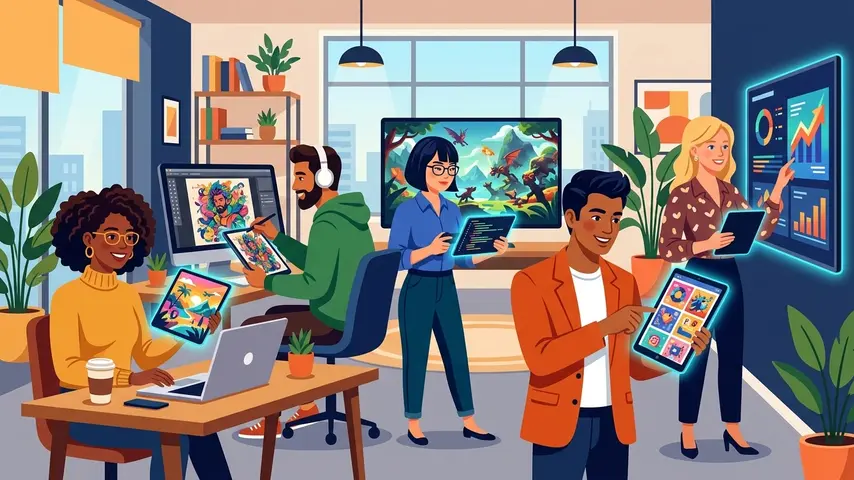
1. What’s Your Primary Use Case?
Different tools excel at different things. Midjourney wins on artistic quality. DALL·E 3 wins on prompt accuracy. Adobe Firefly wins on commercial safety. Knowing what you actually need narrows the field immediately.
2. What’s Your Budget?
If you need a free AI image generator that works well, start with Bing Image Creator or Leonardo AI’s free tier. If you’re generating images professionally and consistently, $10–$20/month for a premium tool pays for itself quickly in saved design costs.
3. How Technical Are You?
Canva Dream Lab and Bing Image Creator are the most beginner-friendly — no learning curve, familiar interfaces. Stable Diffusion and Midjourney have steeper learning curves but reward the investment with significantly more control and quality.
4. Do You Need Commercial Rights?
For business use — ads, product images, website visuals — verify commercial licensing before you publish anything. Adobe Firefly and most paid Midjourney plans include commercial rights. Always read the fine print on free tools.
💡 Pro Tip: If you’re using AI image generators to support a broader content strategy — blog posts, landing pages, marketing copy — it’s worth pairing them with strong written content. Check out what professional content writing services can do alongside your AI visuals to build a complete, high-converting content package.
Real Use Cases: Who Should Use What
Let’s make this practical. Here’s a quick-reference breakdown by user type:
| User Type | Recommended Tool | Why |
|---|---|---|
| Blogger / Content Creator | DALL·E 3 or Bing Image Creator | Easy to use, accurate prompts, no design skills needed |
| Social Media Manager | Canva Dream Lab | Integrates directly into existing Canva design workflow |
| Graphic Designer | Midjourney + Adobe Firefly | Highest quality output + commercial licensing safety |
| E-commerce Business | Adobe Firefly | Copyright-safe, integrates with Adobe product suite |
| Game Developer / Concept Artist | Leonardo AI | Built specifically for game art styles and concept work |
| Developer / Power User | Stable Diffusion | Unlimited generations, full model control, open source |
| Budget-Conscious User | Bing Image Creator | Completely free, no watermarks, DALL·E powered quality |
One thing worth noting for marketers and business owners: AI-generated visuals work best when they support well-crafted messaging. If your copy isn’t converting, great images won’t fix that on their own. Understanding what makes copywriting services effective can help you build content that converts both visually and verbally.
Frequently Asked Questions
What is the best AI image generator overall in 2026?
Midjourney remains the top choice for overall image quality and artistic range in 2026, particularly for creative professionals. For users who need accurate prompt-following and text integration within images, DALL·E 3 (via ChatGPT) is the strongest alternative. Your best choice depends on your specific use case and budget.
Is there a completely free AI image generator that’s actually good?
Yes — Bing Image Creator is currently the best fully free option. It’s powered by DALL·E technology, requires only a free Microsoft account, produces four images per prompt, and adds no watermarks. Leonardo AI also offers 150 free tokens daily, which is enough for regular creative use without paying anything.
Can I use AI-generated images commercially?
It depends on the tool and its terms of service. Adobe Firefly is trained on licensed content and explicitly allows commercial use. Most paid Midjourney plans also permit commercial use. Free tools vary significantly — always check the terms before using AI-generated images in ads, products, or client work to avoid copyright issues.
Which AI image generator is best for beginners?
Canva Dream Lab and Bing Image Creator are the most beginner-friendly options available. Both have intuitive interfaces that require no prior design or technical experience. Bing Image Creator is free, while Canva integrates AI generation directly into its familiar drag-and-drop design environment — ideal for non-designers creating social or blog content.
How do I write good prompts for AI image generators?
Effective prompts are specific and descriptive. Include the subject, style, lighting, mood, and composition you want. For example: “A flat-style illustration of a female entrepreneur at a modern desk, warm lighting, blue and white color palette, professional and approachable mood.” The more context you give, the closer the output will match your vision. Most tools also support negative prompts to exclude unwanted elements.
Will AI image generators replace graphic designers?
Not entirely — but they are changing the role. AI tools handle repetitive, high-volume image tasks efficiently, but they still struggle with brand consistency, complex compositions, and strategic creative direction. Most designers today are using AI generators as part of their workflow rather than being replaced by them. The human creative judgment layer remains essential for professional results.
Final Verdict
The best AI image generator for you isn’t necessarily the most expensive or the most talked-about — it’s the one that fits your workflow, your budget, and your output requirements.
Here’s a quick recap to help you decide:
- 🏆 Best overall quality → Midjourney
- 🎯 Best prompt accuracy → DALL·E 3 (ChatGPT)
- 🛡️ Best for commercial use → Adobe Firefly
- 🆓 Best free option → Bing Image Creator
- 👾 Best for game/concept art → Leonardo AI
- 🔧 Best for power users → Stable Diffusion
- 🖌️ Best for non-designers → Canva Dream Lab
Start with the free options if you’re still exploring. Once you find yourself consistently needing more generations, better quality, or commercial rights — that’s your signal to upgrade to a paid plan.
The tools are genuinely impressive right now. And they’re only getting better. 🚀
Which AI image generator are you using?
Drop a comment below — we’d love to know which tool made it into your creative workflow and why. Your experience might help someone else make the right choice. 💬