

Editor’s Choice 2026: Finding the best video editing mac software isn’t just about cutting clips anymore. It is about leveraging AI, maximizing Apple Silicon performance, and speeding up your workflow.
Whether you are a YouTuber creating viral Shorts, a filmmaker grading 8K footage, or a beginner looking for free tools, the Mac ecosystem offers the best creative apps in the world. But with so many options, which one is right for your M1, M2, or M3 chip?
At wRock.org, we tested the top contenders to bring you this definitive guide.
🏆 The Quick Verdict: Which Should You Buy?
Don’t have time to read the full review? Here is the summary of the best video editing mac software based on your specific needs:
- 🚀 Best Overall (Speed & Optimization): Final Cut Pro. It is built by Apple for Apple. If you hate rendering times, this is the one.
- 🤖 Best for AI & Industry Standard: Adobe Premiere Pro. Perfect if you work in a team or use Photoshop/After Effects.
- 💰 Best Free Option: DaVinci Resolve. Hollywood-grade color correction for $0.
- 📱 Best for TikTok/Reels: CapCut Desktop. Instant captions, effects, and vertical optimization.
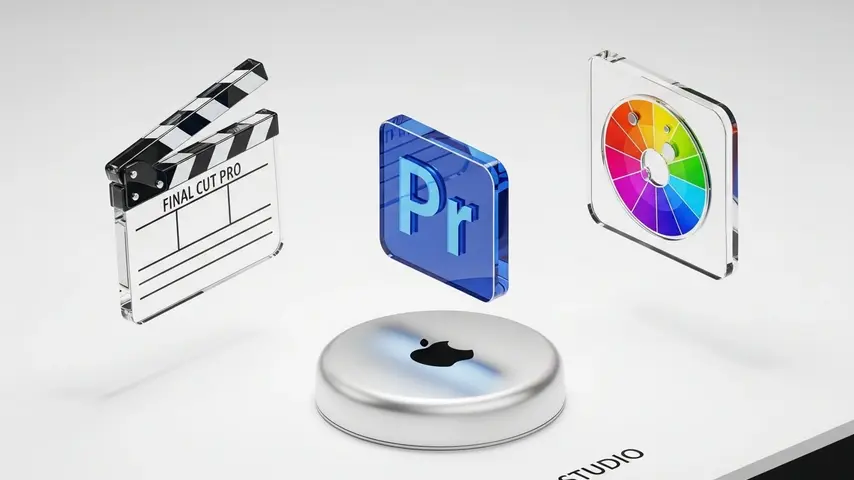
1. Final Cut Pro (The Native Powerhouse)
You cannot talk about the best video editing mac software without starting with Apple’s own Final Cut Pro (FCP). It is not just an editor; it is a piece of software designed to squeeze every drop of power from your Mac’s hardware.
Why It Wins on Mac:
The “Magnetic Timeline” is the standout feature. Unlike traditional track-based editors, FCP allows you to move clips around without worrying about creating gaps or syncing issues. For content creators who edit fast, this is a game-changer.
On an M3 MacBook Pro, Final Cut Pro can handle multiple streams of 8K ProRes video without dropping a single frame. The rendering speed is often 2x faster than competitors.
Pros & Cons
- ✅ One-time payment (No monthly subscription).
- ✅ Optimized for Apple Silicon (Low battery usage).
- ✅ Fast “Object Tracker” and Cinematic Mode editing.
- ❌ The “Magnetic Timeline” has a learning curve for traditional editors.
- ❌ Windows incompatibility (Mac only).
2. Adobe Premiere Pro (The AI Standard)
If you are looking for the industry standard that works across Mac and PC, Adobe Premiere Pro is the answer. In 2026, Adobe has heavily integrated Firefly AI into the workflow.
The AI Advantage:
Premiere Pro now features “Text-Based Editing.” It automatically transcribes your video, and you can edit the video simply by deleting text in the transcript. It removes “umms” and “ahhs” automatically.
Pros & Cons
- ✅ Text-Based Editing speeds up rough cuts massively.
- ✅ Seamless integration with After Effects and Photoshop.
- ✅ Huge library of plugins and tutorials online.
- ❌ Expensive monthly subscription (Creative Cloud).
- ❌ Can be heavier on system resources compared to FCP.
3. DaVinci Resolve (Best Free & Professional)
Is it possible for the best video editing mac software to be free? DaVinci Resolve makes a strong case. This software is used to grade Hollywood blockbusters like Dune and Avatar.
The free version is incredibly generous, offering 95% of the features found in the paid “Studio” version. It includes a full professional editor, Fusion (VFX), Fairlight (Audio), and the world’s best color grading tools.
Pros & Cons
- ✅ Incredible Free Version (No watermarks).
- ✅ Unmatched Color Grading tools.
- ✅ Node-based workflow is powerful for pros.
- ❌ Steep learning curve for beginners.
- ❌ Requires a powerful GPU for best performance.
4. CapCut Desktop (The Viral Creator)
For creators focused on YouTube Shorts, TikTok, or Instagram Reels, traditional editors can be overkill. CapCut Desktop brings the ease of mobile editing to your Mac screen.
It includes features like Auto-Captions, trendy transitions, and AI-generated stickers that are essential for retention in modern social media content.
💡 Buying Guide: Choosing the Right Tool for Your M-Series Mac
Still undecided? Here is a simple framework to help you choose the best video editing mac app for your workflow:
1. Check the Pricing Model
Do you prefer owning your software or renting it? Final Cut Pro costs $299 once. Adobe requires a monthly fee ($22.99/mo). Over 3 years, Final Cut is significantly cheaper.
2. Consider Your Content Type
- Vlogs & Documentaries: Final Cut Pro (Speed is key).
- Client Work & Commercials: Premiere Pro (Industry compatibility).
- Short-Form Vertical Video: CapCut (Effects & Captions).
- Cinematic Films: DaVinci Resolve (Color Grading).
3. Apple Silicon Optimization
While all listed apps run on Apple Silicon, Final Cut Pro and DaVinci Resolve tend to be the most optimized, resulting in cooler laptop temperatures and longer battery life during edits.
Frequently Asked Questions
Is Final Cut Pro better than Premiere Pro for Mac?
For pure speed and optimization on Mac hardware, yes. Final Cut Pro renders faster. However, Premiere Pro is better if you work in a team that uses Windows or need advanced integration with After Effects.
What is the best free video editing software for Mac?
DaVinci Resolve is widely considered the best free option because it offers professional-grade features without watermarks. iMovie is also great for absolute beginners.
Can an M1 MacBook Air handle video editing?
Absolutely. The M1 chip is powerful enough to edit 4K video smoothly in Final Cut Pro or DaVinci Resolve. For heavy 8K workflows, an M2 or M3 Pro/Max is recommended.
Ready to Start Creating?
Choosing the best video editing mac tool is the first step. The next step is mastering it.
Check out our guide on AI Tools for Creators to see how you can generate assets for your videos instantly.


