

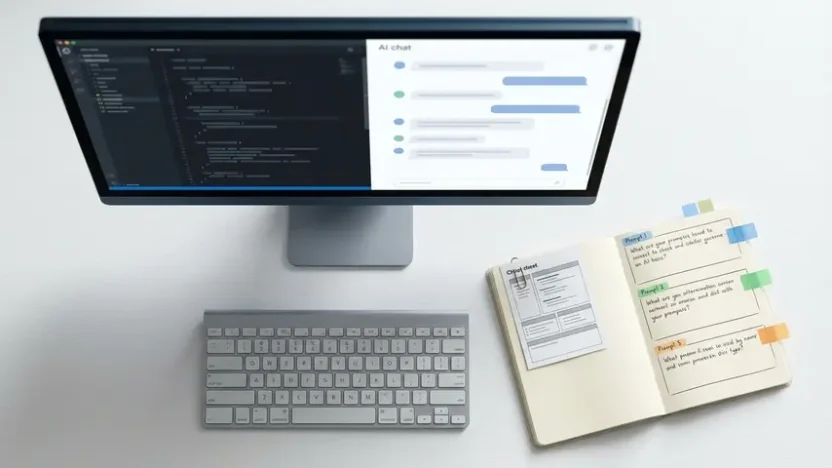
You’ve picked your AI coding tool. You’ve described your project in a couple of sentences. The AI spits out something that looks like code. But it’s not quite right. The authentication is missing. The styling is generic. The error handling is nonexistent.
Sound familiar? The problem isn’t the tool. It’s the prompt.
The gap between mediocre AI-generated code and production-ready output almost always comes down to how you communicate with the model. Vague instructions produce vague results. Structured, specific vibe coding prompts produce code you can actually ship.
This guide teaches you how to write prompts that get better results on the first attempt, iterate faster when refinement is needed, and build a reusable prompt library for common development tasks. Every template is copy-paste ready.
Why Most Vibe Coding Prompts Fail
If you’re new to vibe coding, the instinct is to write prompts the way you’d text a friend: short, casual, and full of assumptions.
“Build me a to-do app.”
That prompt will produce something. It’ll have a text input, a list, maybe a checkbox. But it won’t have proper TypeScript interfaces, your preferred CSS framework, keyboard shortcuts, optimistic UI updates, or confirmation dialogs before deleting items. The AI filled in every gap you left with its own generic assumptions.
Effective prompts for vibe coding eliminate assumptions. They give the AI the same context you’d give a senior developer joining your team on day one — the tech stack, the design system, the user expectations, and the edge cases that separate demos from real software.
The difference isn’t about writing longer prompts. It’s about writing structured ones.
The Three-Layer Prompt Structure
After testing hundreds of vibe coding prompt examples across different tools and project types, one pattern consistently outperforms everything else. It organizes your instructions into three distinct layers that mirror how experienced developers actually think about building features.

Layer 1: Technical Context and Constraints
Tell the AI what your project looks like under the hood. Which framework are you using? What styling approach? What patterns does your existing codebase follow? This layer prevents the AI from generating React code when you need Vue, or Bootstrap classes when your project uses Tailwind.
Think of this as setting the boundaries. You’re not limiting creativity — you’re ensuring the output fits seamlessly into what you’ve already built.
Layer 2: Functional Requirements
Describe what the feature does from the user’s perspective. What do they see? What can they click? What happens when they interact? Be specific about behaviors and interactions rather than implementation details. Let the AI decide how to build it — you define what it should do.
Layer 3: Integration and Edge Cases
This is the layer most people skip — and it’s the one that makes the biggest difference. How does this code connect with your existing application? What happens when things go wrong? What about empty states, network failures, double-clicks, and invalid data?
Production software breaks at the edges. This layer tells the AI to handle those edges before you discover them in production.
Here’s the three-layer structure applied to a real component. This prompt works across any of the top vibe coding tools available today:
Create a TodoItem component with the following specifications:

Technical context:
- React component using TypeScript
- Styled with Tailwind CSS using our design system
- Uses Lucide React icons for UI elements
- Follows existing component patterns with proper props interface

Functional requirements:
- Display todo text with completion checkbox
- Show edit button that toggles inline editing mode
- Include delete button with confirmation dialog
- Visual distinction between completed and pending todos
- Smooth transitions between view and edit modes

Integration and edge cases:
- Integrates with Supabase for state management
- Handle empty or whitespace-only todo text gracefully
- Optimistic UI updates during API calls
- Keyboard shortcuts: Enter to save, Escape to cancel
- Loading states for delete and update operations
- Prevent double-clicks on action buttons
Compare that to “make a todo item component.” Same intent. Dramatically different output. The three-layer prompt eliminates guesswork and slashes iteration cycles because the AI has everything it needs to generate something close to your actual requirements on the first pass.
Iterative Prompting: The Refine-and-Build Cycle
Even perfectly structured prompts rarely produce flawless code on the first attempt. And that’s completely fine. Vibe programming isn’t about getting perfection in one shot — it’s about getting a strong foundation and sculpting it through fast iteration.

Think of the first output as a solid draft. Your job is to refine it through a simple cycle:
Prompt → Review → Ask for explanation or refactor → Build the next step
Each cycle tightens the output. You catch blind spots, add improvements, and gradually transform demo-quality code into something production-worthy. The key is knowing which follow-up prompts to use at each stage.
The “What Could Go Wrong?” Technique
After generating any piece of code, run this follow-up prompt before moving on:
What could go wrong with this code? What edge cases should I handle?This single question consistently surfaces issues you didn’t think to include in your original prompt. If the AI generated a function to fetch blog posts from an API, this follow-up might reveal the need to handle empty responses, malformed JSON, network timeouts, pagination boundaries, or missing data fields. The AI then refactors the code to address each scenario.
It takes ten seconds to ask and can save hours of debugging later.
Security-Focused Follow-Up
Security gaps slip through initial code generation more often than most developers realize. After generating anything that touches user data, authentication, or external APIs, use this prompt:
What security best practices should I follow with this code? How should I handle authentication and sensitive data?This typically surfaces recommendations about storing API keys in environment variables instead of hardcoding them, implementing rate limiting on public endpoints, adding input validation to prevent injection attacks, and sanitizing user-generated content before rendering.
The Self-Review Prompt
Before considering any generated code complete, put the AI into review mode. Ask it to critique its own work with production standards:
Review this code as if it's going live tomorrow. Identify security concerns, performance bottlenecks, and missing error handling. Suggest specific improvements.This forces the model to shift from “generate” mode to “evaluate” mode. It often catches issues it introduced during generation — redundant re-renders, missing loading states, unhandled promise rejections, or accessibility gaps.
Make the AI Teach You While It Builds
One of the most underutilized aspects of vibe programming is using your AI tool as a learning partner, not just a code generator. Instead of blindly accepting output, ask it to justify its decisions:
Why did you choose this approach over alternatives? What are the trade-offs?This reveals the reasoning behind architectural choices. Maybe the AI used useReducer instead of useState for a reason. Maybe it chose a specific data structure for performance characteristics you hadn’t considered. Understanding the “why” makes you better at prompting — and better at evaluating AI output critically.
You can also ask the AI to anticipate deployment problems before you encounter them:
If I deploy this code to production with Supabase, what potential problems should I watch for?This surfaces considerations like enabling Row Level Security policies, adding password complexity validation, implementing proper error logging for production debugging, and setting up database connection pooling for concurrent users.
Copy-Paste Prompt Templates for Common Tasks
Once you internalize the three-layer structure, patterns emerge for recurring development scenarios. These templates are ready to use — paste them into your tool, replace the bracketed placeholders with your specifics, and generate.
Data Model Template
Technical context:
- Database: [Supabase/PostgreSQL/etc.]
- Language/Framework: [TypeScript/Python/etc.]
- Constraints: [Naming conventions, relationship patterns]

Data requirements:
- Entity: [Name and purpose]
- Core fields: [Essential fields with types]
- Relationships: [Connections to other entities]
- Business rules: [Validation requirements, constraints]

Integration considerations:
- Data validation: [Required fields, format requirements]
- Performance: [Indexing needs, query patterns]
- Security: [Access control, sensitive data handling]
- Migration: [How this fits with existing schema]

Create a data model for [specific use case].
Recommended follow-ups after generating:
- “Explain your column and index choices”
- “What queries will be slow at scale? Suggest optimizations”
- “Show me how to seed example data and query”
API Endpoint Template
Technical context:
- Framework: [Express/Next.js API routes/FastAPI/etc.]
- Authentication: [JWT/session-based/API keys]
- Data layer: [Database ORM, external APIs]
- Response format: [JSON structure preferences]

Endpoint specification:
- Method and route: [GET/POST/etc.] /api/[path]
- Purpose: [What this endpoint accomplishes]
- Request format: [Body structure, query params, headers]
- Response format: [Success and error responses]
- Business logic: [Key operations and validations]

Integration and edge cases:
- Authentication: [Access control, permission levels]
- Validation: [Input sanitization, required fields]
- Error handling: [Specific error scenarios and responses]
- Rate limiting: [Protection against abuse]
- External dependencies: [Third-party APIs, database queries]

Create an API endpoint that [specific functionality].
UI Component Template
Technical context:
- Framework: [React/Vue/Angular/etc.]
- Styling: [Tailwind/CSS modules/styled-components]
- State management: [useState/Zustand/Redux]
- Icon library: [Lucide/Heroicons/etc.]

Component specification:
- Purpose: [What this component does]
- Props interface: [Expected props with types]
- User interactions: [Clicks, hovers, keyboard events]
- Visual states: [Loading, error, empty, success states]
- Accessibility: [ARIA labels, keyboard navigation]

Integration considerations:
- Parent integration: [How it fits in the app]
- Performance: [Memoization, lazy loading needs]
- Error boundaries: [Failure handling]
- Mobile responsiveness: [Breakpoint considerations]
- Testing: [Key behaviors to verify]

Create a [component name] component that [specific functionality].
These templates work because they mirror how AI models reason about code. Providing technical constraints, functional objectives, and real-world edge cases upfront leads to dramatically more accurate first-pass results.
Building Your Personal Prompt Library
The developers who get the most value from vibe coding prompts don’t start from scratch every time. They build a personal library of proven prompts that they refine over time.
Here’s how to start building yours:
Save every prompt that worked well. When a prompt produces code that required minimal revision, copy it into a dedicated document or notes app. Tag it by category — component, API, data model, styling, testing.
Document what made it work. Was it the specificity of the technical context? The edge cases you listed? The follow-up sequence? Note what made the difference so you can replicate the pattern.
Iterate on templates, not individual prompts. Instead of crafting one-off prompts for each task, refine your templates. Each project teaches you what information the AI consistently needs. Fold those lessons back into your templates.
Share with your team. If you work with other developers, a shared prompt library creates consistency across the entire team’s AI-generated output. Everyone produces code that follows the same patterns, conventions, and quality standards.
Within a few weeks of active use, your prompt library becomes one of your most valuable development assets. It encodes your standards, your preferences, and your hard-won knowledge about what makes AI-generated code actually work in production.
Frequently Asked Questions
What makes a good vibe coding prompt?
A good vibe coding prompt has three layers: technical context (your stack, framework, and conventions), functional requirements (what the feature does from the user’s perspective), and integration considerations (how it connects with existing code and handles edge cases). Specificity is more important than length. A focused 10-line prompt with clear constraints consistently outperforms a vague one-sentence instruction.
Do these prompts work with all vibe coding tools?
Yes. The three-layer prompt structure works across all major AI coding tools including Cursor, Bolt.new, Lovable, GitHub Copilot, Windsurf, and Replit Agent. The underlying principle is the same — providing structured context reduces ambiguity regardless of which AI model processes your prompt. Some tools may handle certain prompt styles slightly better than others, but the templates in this guide are tool-agnostic by design.
How long should a vibe coding prompt be?
There’s no ideal word count. A simple utility function might need a 3-line prompt. A complex multi-step feature might need 30 lines of structured context. Focus on completeness rather than brevity. Include everything the AI needs to make correct decisions — your tech stack, expected behaviors, edge cases, and integration points. Remove anything that doesn’t help the AI produce better output.
Should I include code examples in my prompts?
Including small code examples or referencing existing patterns in your project significantly improves output quality. If you have a component that follows a specific structure, showing the AI a snippet of that pattern helps it match your conventions. This is especially useful for maintaining consistency across a codebase. You don’t need to include large blocks of code — a representative example of your preferred pattern is usually sufficient.
How do I improve my vibe coding prompts over time?
Build a personal prompt library. Save every prompt that produced good results, document what made it effective, and refine your templates based on patterns you notice. Track which types of context the AI consistently needs and which details it handles well on its own. Over a few weeks, your templates become increasingly precise and your first-pass results improve dramatically. Sharing prompt libraries across development teams also creates consistency in AI-generated code quality.
Can beginners use these prompt templates?
Absolutely. The templates are designed to be filled in with your specific project details — you replace the bracketed placeholders with your requirements. Beginners may not know every technical term initially, but using the templates as a learning framework actually accelerates understanding. Ask the AI to explain any technical concepts in the template you’re unfamiliar with. Over time, you’ll internalize the vocabulary and write increasingly effective prompts without needing the template as a guide.
The Bottom Line
The quality of your AI-generated code is directly proportional to the quality of your prompts. Random, unstructured instructions produce random, unstructured output. Layered, specific vibe coding prompts produce code that’s closer to production-ready on the first attempt.
Start with the three-layer structure for your next feature. Use the iterative follow-up prompts to catch edge cases and security gaps. Save what works into a personal library that compounds in value with every project.
Vibe programming rewards clear thinking more than technical knowledge. The developers and builders who master prompt craft — who learn to translate intent into structured instructions — will consistently ship faster, produce higher-quality output, and extract more value from every AI tool they touch.
Copy the templates above. Open your preferred tool. Build something. The prompts are ready — now it’s your turn to use them.


