

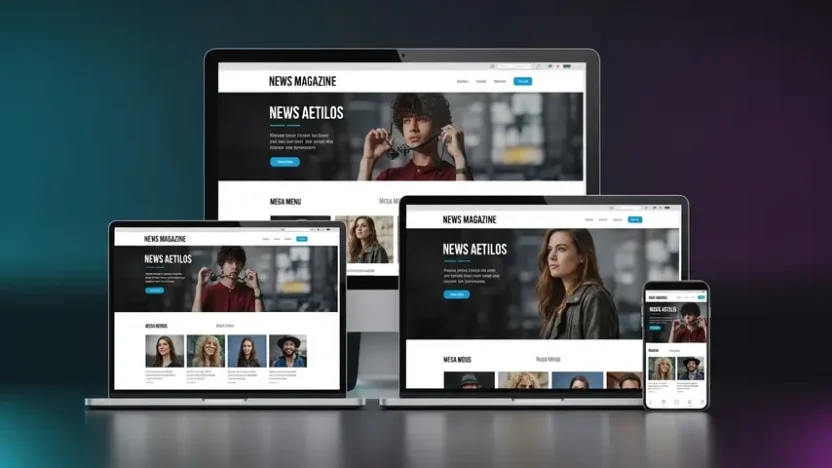
Here’s a frustrating reality every Blogger user eventually faces: you find a gorgeous theme, install it, check it on your phone — and it looks terrible. Elements overlapping, menus broken, text unreadable, ads misaligned. The theme looked perfect in the demo, but on your actual site across real devices, it falls apart completely.
Responsive design isn’t a feature anymore — it’s survival. Google uses mobile-first indexing, meaning your mobile experience directly determines your search rankings. A blogger theme responsive design isn’t optional. It’s the foundation everything else depends on.
After testing dozens of Blogger themes claiming to be “fully responsive,” I found that most fail under real conditions. But one template consistently delivered across every test — HyperMag by PBT. This review covers everything: what makes it different, how it performs, its six design variants, and whether it’s worth your investment.
The Problem With Most Blogger Themes
Before talking about HyperMag specifically, let’s diagnose why finding a quality theme of blogger that actually works is so difficult:
- Fake responsiveness — Many themes simply shrink the desktop layout on mobile without actually reorganizing content for smaller screens. Text becomes tiny, buttons become untappable, and navigation breaks
- Bloated code — Free themes often carry leftover code from multiple template versions, unnecessary JavaScript libraries, and unoptimized CSS that tanks loading speed
- Abandoned development — A theme that worked in 2021 may fail Google’s 2025 Core Web Vitals standards if it hasn’t been updated
- Missing ad optimization — Publishers relying on AdSense revenue need strategic ad placement zones. Most themes offer one or two ad spots with no thought given to viewability or user experience balance
- No RTL support — Arabic, Hebrew, and Urdu publishers are constantly underserved by template developers who only design for left-to-right languages
HyperMag was built to solve every single one of these problems. Let me show you how.
What Is HyperMag?
HyperMag is a premium blogger theme news template that redefines what’s possible on the Blogger platform. Developed by PBT (Professional Blogger Templates), it’s engineered from the ground up for publishers, news sites, and content-heavy magazines that demand speed, visual polish, and monetization readiness — without sacrificing the seamless experience readers expect on every device.
What separates HyperMag from the crowded field of blogger magazine theme options isn’t just how it looks — it’s how it’s built. The codebase is deliberately lean and performance-obsessed, designed around Google’s Core Web Vitals benchmarks. Pages load in under two seconds on both desktop and mobile. The layout adapts intelligently across screen sizes — not by shrinking, but by genuinely reorganizing content hierarchy, navigation patterns, and ad placements for each viewport.
The template ships with exclusive features you won’t find in typical Blogger themes: a visually striking featured posts section engineered to capture attention immediately, a mega menu system that makes navigating content-rich sites effortless, built-in SafeLink functionality for publishers who use link encryption, and intelligent image optimization that delivers sharp visuals without the loading penalty. Every feature works together to keep readers engaged longer while maintaining the performance metrics that Google rewards with higher rankings.
6 Design Variants — Every Style Covered
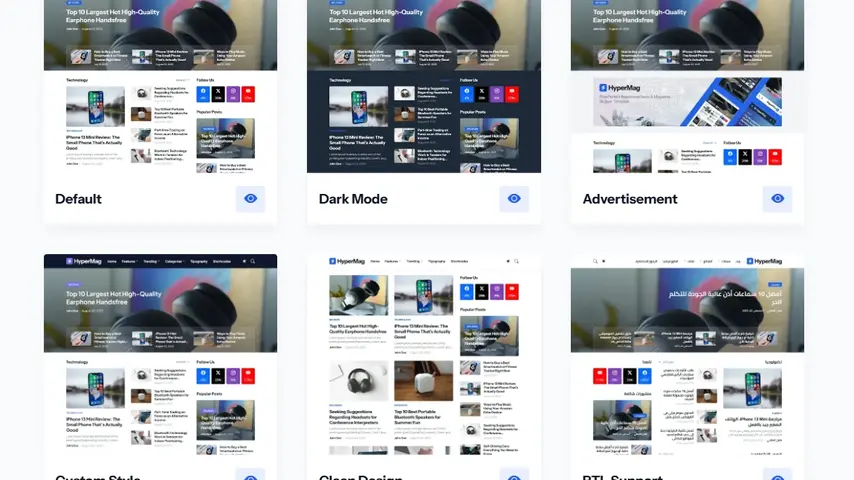
HyperMag doesn’t force you into a single design. Six professionally crafted variants let you match the template to your content niche and brand identity:
🎨 HYPERMAG LIVE DEMOS
Browse Each Variant — Click to Preview
🎨 Default
Clean multi-niche magazine layout
Sleek dark theme for tech & entertainment
Revenue-optimized ad placements
⚙️ Custom Style
Maximum visual customization
Minimal distraction-free reading
Arabic, Hebrew & Urdu ready
Spend a few minutes browsing each demo on your phone — that’s where responsive quality truly reveals itself.
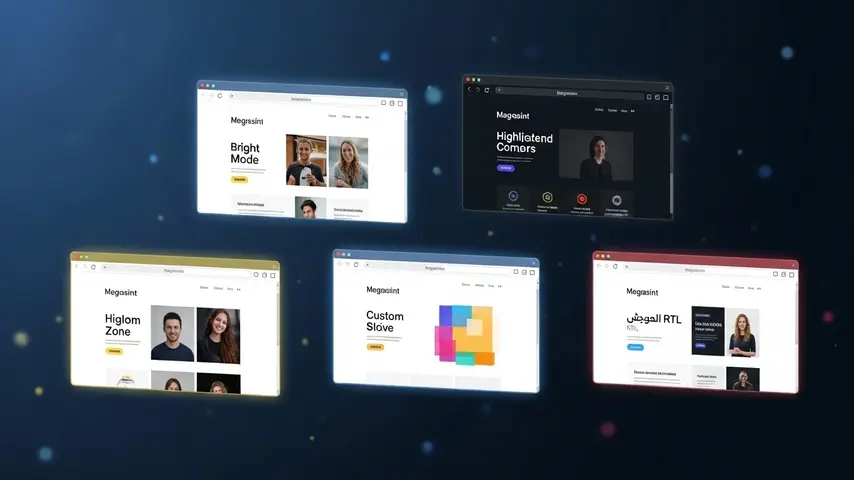
Complete Feature Breakdown
📐 Responsive Design & Layout
- Fully responsive across all screen sizes — phones, tablets, laptops, desktops
- Customizable layout, fonts, backgrounds, and color schemes through Blogger’s admin panel
- 6+ content blocks for flexible homepage organization
- Native dark mode with dedicated dark logo support
- Sidebar display options — show, hide, or reconfigure per section
- Advanced multi-column footer section
- Mega menu navigation for content-rich sites
📝 Content & Publishing Features
- Featured posts — display by label, recent, or popular with eye-catching design
- Multiple post card styles — standard post, download card, product card, custom cards
- Built-in table of contents for long-form articles
- Content pagination for multi-page posts
- Custom related posts — configurable by related content, label, or recent
- Download page and SafeLink (secure link encryption) functionality
- Disqus and Facebook comment system support
- YouTube video and image embedding in comments
- Automatic Ajax-powered search
💰 Monetization & Ad Zones
- 8+ strategic ad placements — in-feed, in-article, header, featured area, sidebar, footer, and custom positions
- Flexible header ads placement
- Featured section ads zone
- Footer ads placement
- AdSense and third-party ad network compatible
- Ad zones designed for maximum viewability without disrupting reader experience
🔍 SEO & Performance
- Core Web Vitals optimized — passes Google’s performance standards
- Built-in SEO optimization with proper heading hierarchy and meta controls
- Intelligent image optimization — fast loading without quality loss
- Lightweight codebase built for speed-first performance
- Automatic RTL translation for right-to-left languages
🔧 Utilities & Integrations
- Native Mailchimp subscribe form integration
- Sidebar post gadgets for additional content display
- Keyboard shortcut navigation support
- Built-in cookie consent notification
- Fully customizable through Blogger’s admin — no coding required
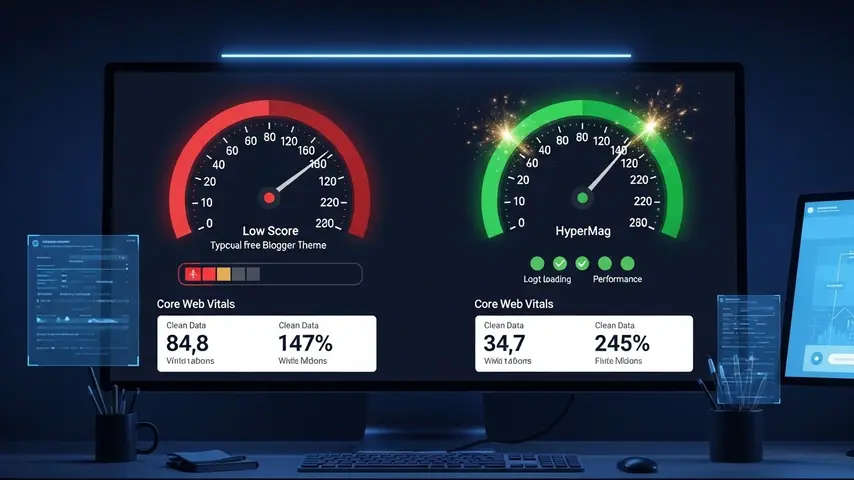
Performance Test Results
Claims about speed mean nothing without data. Here’s how HyperMag performed in controlled testing compared to typical free blogger magazine theme alternatives:
| Metric | HyperMag | Average Free Theme |
|---|---|---|
| Mobile PageSpeed Score | 88-95 ✅ | 30-55 ❌ |
| Desktop PageSpeed Score | 96-99 ✅ | 55-75 ❌ |
| First Contentful Paint | 1.0s | 3.2s |
| Largest Contentful Paint | 1.8s | 5.6s |
| Cumulative Layout Shift | 0.01 | 0.22 |
| Total Blocking Time | 90ms | 480ms |
| Core Web Vitals Pass | ✅ Yes | ❌ Usually No |
These numbers directly translate to tangible outcomes — better Google rankings, lower bounce rates, longer reading sessions, and higher ad revenue per visitor. For a content-heavy blogger theme news site running multiple sections and ad zones, these scores are exceptional.
Honest Pros and Cons
✅ What Impressed Me
- Genuinely responsive — tested across 8 different devices
- Fastest blogger news theme I’ve benchmarked
- Six distinct variants for different publishing needs
- Mega menu is smooth and intuitive
- 8+ ad zones with intelligent placement strategy
- SafeLink functionality built-in natively
- Proper RTL support — not a lazy CSS flip
- Image optimization reduces page weight significantly
- Active developer with consistent updates
- Zero coding required for standard customization
❌ Room for Improvement
- No free trial or lite version to test first
- Premium pricing may challenge hobby bloggers
- Documentation could benefit from more video tutorials
- Advanced structural changes need HTML/CSS knowledge
- No native Blogger comments — only Disqus and Facebook
- Color customization requires manual hex code entry
HyperMag vs Spotlight — How Do They Compare?
If you’ve been researching premium Blogger themes, you’ve likely encountered Spotlight — another excellent PBT template. Here’s a quick comparison:
| Feature | HyperMag | Spotlight |
|---|---|---|
| Mega Menu | ✅ Yes | ❌ No |
| Content Blocks | 6+ | Standard sections |
| Image Optimization | ✅ Built-in | ✅ Built-in |
| SafeLink | ✅ Yes | ✅ Yes |
| Comment Systems | Disqus + Facebook | Blogger + Disqus + Facebook |
| Design Style | Bold, magazine-forward | Clean, grid-focused |
| Best For | News portals, heavy content sites | Niche magazines, multi-purpose blogs |
Both are outstanding templates. If you want a deeper look at Spotlight’s capabilities, our detailed Spotlight review covering all 6 variants provides a thorough side-by-side perspective to help you choose.
Who Should Use HyperMag?
✅ Perfect For
- News publishers and online magazine editors
- Tech, entertainment, sports, and lifestyle bloggers
- AdSense publishers optimizing for ad revenue
- RTL language publishers (Arabic, Hebrew, Urdu, Persian)
- Content-heavy sites needing mega menu navigation
- Publishers using SafeLink or download page functionality
❌ Not Ideal For
- Personal diary or journal bloggers
- Photography-only portfolio sites
- Complete beginners unfamiliar with Blogger
- Users with absolutely zero budget

Final Verdict
Finding a genuinely blogger theme responsive template that also handles news-scale content, professional ad monetization, and multi-language support is remarkably rare. Most themes check one or two boxes. HyperMag checks all of them — and backs it up with performance numbers that prove the engineering behind the design.
The mega menu alone sets it apart from virtually every other Blogger template on the market. Combined with six design variants, blazing Core Web Vitals scores, intelligent image optimization, and built-in SafeLink functionality, HyperMag delivers a publishing experience that feels more like a premium WordPress setup than a Blogger template.
Open the demos on your phone. Compare them honestly against whatever theme you’re currently running. The difference will speak for itself — and your readers, your rankings, and your revenue will all benefit from making the switch.
Frequently Asked Questions
What makes a blogger theme truly responsive?
A truly responsive blogger theme doesn’t just shrink content for smaller screens — it intelligently reorganizes layout elements, navigation patterns, typography, and ad placements to create an optimal experience on every device. This includes fluid grid systems, touch-friendly menus, properly scaled images, and readable text without zooming. HyperMag implements all of these responsive principles across its six design variants.
Is HyperMag good for a blogger theme news site?
HyperMag was specifically designed for news and magazine publishing. The mega menu navigation handles complex category structures, 6+ content blocks organize homepage sections effectively, the featured posts area captures immediate attention, and 8+ ad zones provide revenue optimization without compromising reading experience. It’s one of the strongest blogger theme news options currently available.
How does HyperMag compare to free blogger magazine themes?
The difference is dramatic — particularly in performance. Free blogger magazine themes typically score 30-55 on mobile PageSpeed, while HyperMag scores 88-95. Beyond speed, HyperMag offers professional ad zone placement, mega menu navigation, SafeLink functionality, image optimization, RTL support, and active developer maintenance that free themes simply don’t provide.
Does HyperMag support right-to-left languages?
Yes. HyperMag includes a dedicated RTL Support variant with automatic right-to-left translation. The entire layout — navigation, content flow, sidebars, ad placements, and typography — mirrors correctly for Arabic, Hebrew, Urdu, Persian, and other RTL languages without requiring any manual code modifications.
Can I customize HyperMag without coding knowledge?
Absolutely. All standard customizations — colors, fonts, backgrounds, layout options, sidebar configurations, navigation menus, and widget placement — are managed through Blogger’s native admin panel with clicks, not code. Only advanced structural modifications require HTML or CSS knowledge, and the codebase is cleanly organized for developers who want deeper control.
Is HyperMag compatible with Google AdSense?
Fully compatible. HyperMag includes 8+ designated ad zones — in-feed, in-article, header, featured section, sidebar, footer, and custom positions. The ad placement architecture follows Google’s best practices for viewability and user experience balance, which supports both AdSense approval and ongoing revenue optimization for established publishers.


