You’ve probably used it hundreds of times without realizing it has a name. That six-digit code your authenticator app generates every 30 seconds? The one that expires before you finish typing it if you’re too slow? That’s TOTP.
It protects your email, social media, banking apps, work accounts, and basically anything important enough to need more than just a password. But most people don’t actually understand what TOTP is, how it works, or why it’s become the default security mechanism for two-factor authentication across the internet.
This guide explains the full TOTP meaning, breaks down how the technology actually generates those time-based codes, and shows you why it matters for your personal security and business protection.
What Is TOTP? The Complete Definition
TOTP stands for Time-based One-Time Password. It’s a security mechanism that generates temporary passwords that change every 30 seconds (sometimes 60 seconds, depending on implementation). Each code can only be used once and expires quickly, making them useless to anyone who intercepts them later.
Unlike traditional static passwords that stay the same until you manually change them, TOTP codes are dynamic. The code that works right now won’t work 30 seconds from now. Even if someone captures your current TOTP code through a phishing attack or network interception, it becomes worthless within seconds.
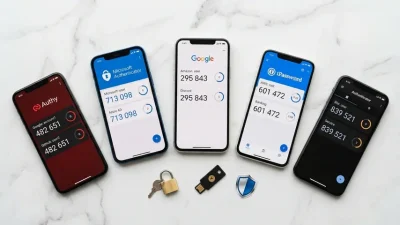
TOTP is the technical standard behind most authenticator apps you’ve probably already used:
- Google Authenticator
- Microsoft Authenticator
- Authy
- 1Password
- Duo Mobile
All of these apps implement the same TOTP algorithm standardized in RFC 6238. That’s why you can generate codes for Gmail using Google Authenticator, Microsoft Authenticator, or any other TOTP-compliant app — they all produce the same code at the same moment because they follow the same specification.
TOTP Meaning in Simple Terms
The TOTP meaning becomes clearer when you break down what each part of the acronym represents:
Time-based — The code changes based on the current time. Every 30 seconds, the algorithm generates a completely new code. Time synchronization between your device and the server is what makes this work. Both sides calculate the code using the current timestamp, ensuring they arrive at the same result.
One-Time — Each code can only be used once. Even within its 30-second validity window, once you submit a TOTP code to log in, that specific code becomes invalid. This prevents replay attacks where someone captures your code and tries to reuse it.
Password — It functions as a temporary password generated automatically by an algorithm rather than chosen by you. You don’t create it, memorize it, or type it from memory. The app generates it, you copy it, and it disappears seconds later.
Put together, TOTP creates a constantly changing second layer of authentication that’s nearly impossible to compromise without physical access to your device.
How TOTP Authentication Works: The Technical Process
Understanding how TOTP authentication works requires looking at what happens during setup and what happens during each login attempt.

Setup Phase: Sharing the Secret
When you enable two-factor authentication on any service, the setup process looks similar:
- The service generates a random secret key — a long string of characters unique to your account
- They show you this secret as a QR code (which contains the secret encoded visually)
- You scan the QR code with your authenticator app
- Your app stores this secret locally on your device
- The service also stores the same secret in their database linked to your account
At this point, both sides — your device and the service’s server — share the same secret. Neither side ever transmits this secret again after initial setup. Everything that follows is based on both parties knowing this shared secret.
Code Generation: The Algorithm
Every 30 seconds, your authenticator app runs the TOTP algorithm using two inputs:
Input 1: The shared secret — The unique key established during setup that never changes.
Input 2: The current time — Specifically, the current Unix timestamp divided by 30 (or 60), creating a time counter that increments every 30 seconds.
The algorithm combines these inputs through cryptographic hashing (HMAC-SHA1 by default, though SHA-256 and SHA-512 are also supported) and produces a six-digit code.
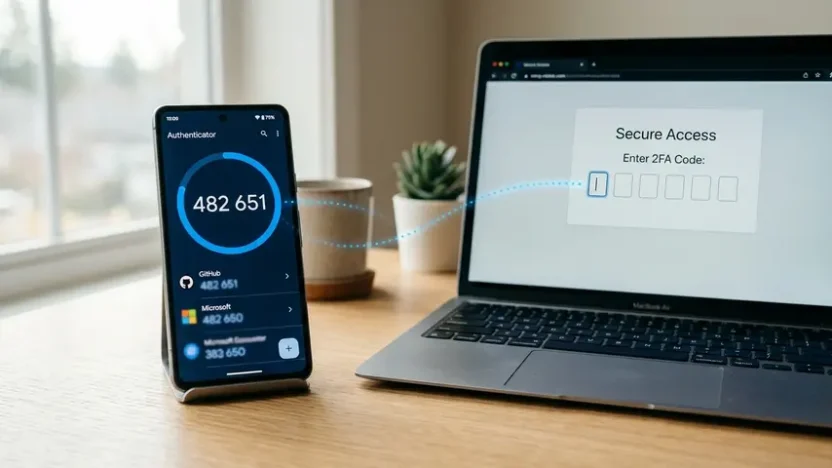
Here’s the elegant part: the server runs the exact same algorithm at the exact same moment using the exact same inputs. Both sides arrive at the same six-digit code without ever communicating with each other during code generation.
Verification: Checking the Code
When you submit a TOTP code during login:
- The server retrieves the shared secret associated with your account
- It calculates what the current valid code should be using that secret and the current time
- It compares the code you submitted with the code it calculated
- If they match, authentication succeeds
Most implementations allow a small time window tolerance — usually accepting codes from the previous 30-second window and the next 30-second window to account for minor clock drift between your device and the server.
Why TOTP Is Better Than SMS Codes
Before TOTP became the standard, SMS-based two-factor authentication was common. You’d request a code, receive a text message, and enter it. While better than password-only authentication, SMS codes have significant vulnerabilities that TOTP avoids.

SMS Codes Can Be Intercepted
Text messages travel through cellular networks and can be intercepted through SIM swapping attacks, SS7 protocol vulnerabilities, or malware on your phone. Once intercepted, the attacker has your code and can use it immediately.
TOTP codes never travel over any network during generation. The secret stays on your device and the server. Nothing is transmitted that an attacker can intercept.
SMS Depends on Cellular Connectivity
If you’re traveling internationally, in an area with poor reception, or experiencing network outages, SMS codes might not arrive. You’re locked out until connectivity returns.
TOTP authentication works offline. Your authenticator app generates codes using only the device’s clock and the stored secret. No internet connection required. No cellular service required.
SMS Codes Can Be Phished More Easily
Attackers create fake login pages that capture your username, password, and the SMS code you enter. Since SMS codes remain valid for several minutes, there’s enough time to use them on the real site before they expire.
TOTP codes expire in 30 seconds and are often implemented with additional anti-phishing measures like requiring fresh codes (preventing reuse of codes from earlier in the same time window).
Common TOTP Use Cases
TOTP has become ubiquitous because it balances security, usability, and cost-effectiveness. Here’s where you encounter it most often:
Email Account Protection
Gmail, Outlook, ProtonMail, and virtually every major email provider support TOTP. Email is the master key to most online accounts — password resets, verification emails, account recovery all flow through email. Protecting your email with TOTP protects everything connected to it.
Financial Services
Banks, investment platforms, cryptocurrency exchanges, and payment processors use TOTP to secure account access and transaction authorization. The stakes are direct financial loss, making strong authentication non-negotiable.
Cloud Storage and Productivity Tools
Dropbox, Google Drive, Microsoft OneDrive, and collaborative platforms like Slack and Notion use TOTP to prevent unauthorized access to sensitive business data and communications.
Developer and IT Tools
GitHub, GitLab, AWS, Azure, and other developer platforms mandate TOTP for accounts with elevated privileges. A compromised developer account can expose entire codebases, infrastructure, and customer data.
Social Media Accounts
Twitter, Facebook, Instagram, and LinkedIn offer TOTP protection. While the data might seem less critical than financial accounts, compromised social accounts enable impersonation, scams targeting your followers, and reputation damage.
Setting Up TOTP: Step-by-Step
If you haven’t enabled TOTP authentication on your important accounts yet, here’s the universal process that works across almost every service:
- Install an authenticator app. Choose Google Authenticator, Microsoft Authenticator, Authy, or 1Password. All work the same for TOTP purposes.
- Navigate to security settings. Log into the account you want to protect and find the two-factor authentication or security settings page.
- Choose “Authenticator app” option. You’ll typically see options for SMS, authenticator app, and security keys. Select the authenticator app option.
- Scan the QR code. The service displays a QR code. Open your authenticator app and scan it. The app immediately starts generating codes for that account.
- Enter the current code. As verification that setup worked, the service asks you to enter the six-digit code currently showing in your app.
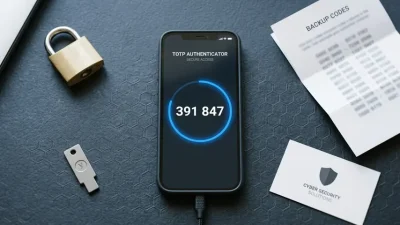
- Save backup codes. Most services provide emergency backup codes for account recovery if you lose access to your authenticator app. Store these securely — separate from your device.
The entire process takes under two minutes per account. The security improvement is immediate and permanent.
What Happens If You Lose Your Device?
This is the most common concern people have before enabling TOTP. If your phone breaks, gets stolen, or resets, what happens to all those authenticator codes?
The solution depends on your authenticator app choice:
Backup codes — During TOTP setup, services provide one-time backup codes specifically for this scenario. Each code works once to bypass TOTP and log in. Use one, access your account, and reconfigure TOTP on a new device.
Cloud-synced authenticators — Apps like Authy and 1Password sync your TOTP secrets across devices through encrypted cloud backup. Lose your phone, install the app on a new device, and your codes reappear after authentication.
Manual secret backup — Some power users export and securely store the actual TOTP secret keys. This allows manual restoration in any TOTP app, but requires careful secure storage since the secrets themselves bypass the security entirely if compromised.
For most people, saving the backup codes provided during setup and using a cloud-synced authenticator provides the best balance of security and recovery options.
TOTP for Businesses and Developers
If you’re building applications or managing IT infrastructure, implementing TOTP authentication for your users isn’t optional anymore — it’s a baseline security expectation.
Fortunately, TOTP implementation is straightforward because it’s an open standard. Libraries exist for every major programming language:
- JavaScript/Node.js:
speakeasy,otplib - Python:
pyotp - PHP:
OTPHP - Ruby:
rotp - Go:
otp
Implementation typically requires:
- Generating a random secret during user enrollment
- Storing that secret securely in your database (encrypted at rest)
- Generating QR codes that encode the secret for easy scanning
- Verifying submitted codes during login using the stored secret
For testing during development, tools like a free TOTP generator let you verify that your implementation produces correct codes without needing to repeatedly set up test accounts in actual authenticator apps.
TOTP Limitations and Alternatives
While TOTP is excellent, it’s not perfect for every situation. Understanding its limitations helps you make informed security decisions.
Device dependency. You need your phone or another device with your authenticator app. Forget it at home and you’re locked out until you return or use backup codes.
Phishing still possible. Sophisticated phishing attacks can capture TOTP codes in real-time by acting as a proxy between you and the real service. The attacker’s fake site asks for your TOTP code, you enter it, they immediately use it on the real site within the 30-second window.
Clock synchronization required. If your device’s clock drifts significantly from accurate time, codes won’t match. This is rare with modern devices that sync time automatically, but can occur on offline devices or during international travel across time zones.
For environments requiring even stronger security, alternatives include:
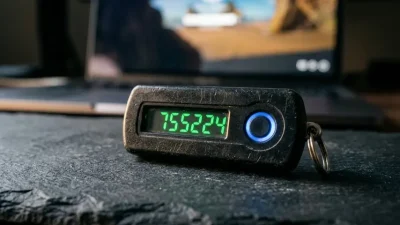
Hardware security keys (FIDO2/WebAuthn) — Physical devices like YubiKey that use cryptographic challenge-response instead of time-based codes. Immune to phishing because authentication is bound to the specific domain.
Push notification authentication — Services like Duo send a push notification to your phone that you approve or deny. Convenient but requires internet connectivity.
Biometric authentication — Fingerprint or face recognition on mobile apps. Convenient but device-specific and not universally supported.
Most security experts recommend TOTP as the minimum standard, with hardware keys for high-value accounts and sensitive business systems.
The Marketing and Content Security Angle
If you run a business with an online presence, your security extends beyond infrastructure to the content and communication channels you control. A compromised social media account can push scam messages to your entire audience. A hacked website can inject malicious content that damages your reputation and SEO.
Protecting these assets with TOTP is table stakes. But ongoing security requires more than just good authentication — it requires maintaining professional standards across all your digital touchpoints, from website content quality to communication security.
That’s one reason businesses increasingly invest in professional content services — to ensure their digital presence maintains consistency and quality standards even as team members change or accounts get temporarily compromised and restored.
Frequently Asked Questions
What does TOTP stand for?
TOTP stands for Time-based One-Time Password. It’s a security standard that generates temporary six-digit codes that change every 30 seconds. Each code can only be used once and expires quickly, making them highly secure for two-factor authentication. The technology is standardized in RFC 6238 and implemented by authenticator apps like Google Authenticator, Microsoft Authenticator, and Authy.
How does TOTP authentication work?
TOTP authentication works by sharing a secret key between your device and the service during initial setup. Every 30 seconds, both your authenticator app and the service’s server independently calculate a code using that shared secret and the current time. Because they use the same inputs and algorithm, they generate identical codes without communicating. When you log in, the service checks whether the code you entered matches the code it calculated at that moment.
Is TOTP more secure than SMS codes?
Yes, TOTP is significantly more secure than SMS-based two-factor authentication. SMS codes can be intercepted through SIM swapping attacks, SS7 protocol vulnerabilities, or malware. They also depend on cellular connectivity. TOTP codes never travel over any network during generation — they’re calculated locally on your device using a secret that stays on your device. TOTP works offline and expires in 30 seconds instead of several minutes, making them much harder to exploit.
What happens if I lose my phone with my TOTP codes?
If you lose access to your authenticator app, you can regain account access using backup codes provided during TOTP setup. Each service gives you one-time recovery codes specifically for this scenario. Alternatively, if you use a cloud-synced authenticator like Authy or 1Password, your TOTP secrets restore automatically when you sign in on a new device. This is why saving backup codes and choosing a cloud-synced authenticator is recommended for most users.
Can TOTP work without internet connection?
Yes, TOTP works completely offline. Your authenticator app generates codes using only the device’s clock and the stored secret key — no internet or cellular connection is required. This makes TOTP reliable in areas with poor connectivity, during international travel, or on devices without network access. The only requirement is that your device’s clock remains reasonably accurate.
Which authenticator app should I use for TOTP?
All major authenticator apps implement the same TOTP standard, so they produce identical codes. Google Authenticator is simple but doesn’t sync across devices. Microsoft Authenticator offers cloud backup and works well for Microsoft accounts. Authy provides multi-device sync and cloud backup for free. 1Password integrates TOTP with password management. For most users, Authy or Microsoft Authenticator offer the best balance of security, convenience, and recovery options.
The Bottom Line
TOTP is the security technology that protects the accounts you care about most. It’s simple enough to set up in minutes, secure enough to defend against the vast majority of attacks, and standardized enough that you’re not locked into any specific vendor or device.
The TOTP meaning — Time-based One-Time Password — perfectly describes what it does. Codes that change with time, work only once, and function as temporary passwords generated by mathematics rather than human memory.
If you haven’t enabled TOTP authentication on your email, banking, social media, and work accounts yet, bookmark this guide and spend the next 30 minutes setting it up. Those 30 minutes might be the most valuable security investment you make this year.
The technology isn’t perfect. Nothing is. But it represents a massive upgrade over password-only authentication, costs nothing to implement as a user, and has become the de facto standard for good reason. It works.